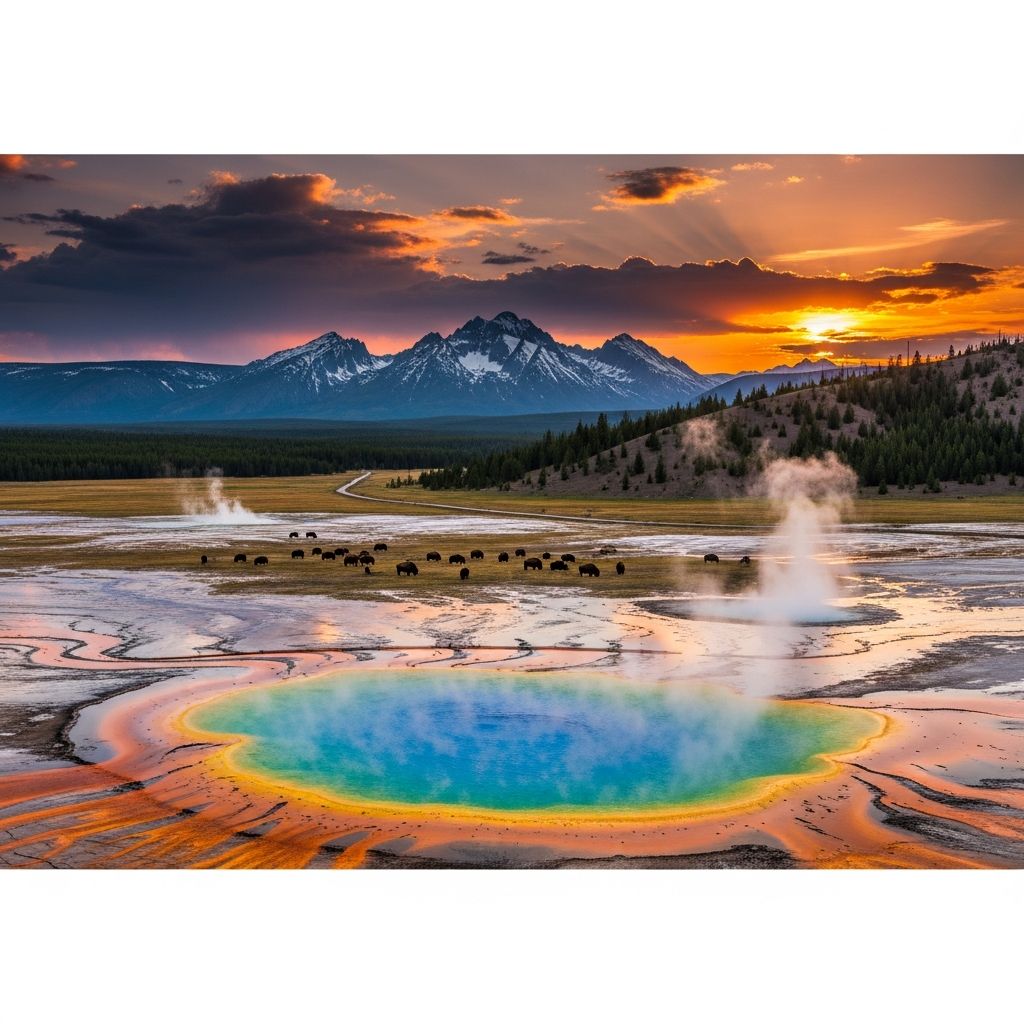
Yellowstone has grown from a modest cable drama into one of television’s biggest cultural obsessions, and the final stretch of Season 5 brought massive interest from both longtime fans and first-time viewers looking to see what the hype is about. As the show concludes, knowing exactly where to stream each season and how to avoid overpaying has become just as important as keeping up with the Dutton family’s land wars.
Why Yellowstone Is So Hard to Track Down
Unlike many hit shows that live on a single streaming service, Yellowstone has a split rights history that can confuse even seasoned streamers. The series premiered on Paramount Network, yet a major licensing deal sent its streaming rights to a rival platform instead of the studio’s own subscription service.
That unusual arrangement means fans often assume Yellowstone will appear on Paramount’s in-house streamer, only to discover that the flagship series sits somewhere else while its prequels and spin-offs are on Paramount’s platform. This mismatch between cable channel and streaming home is the main reason so many viewers end up searching multiple apps just to find Season 5 Part 2.
Where Every Yellowstone Season Streams Now
For viewers in the United States, the core Yellowstone series has a well-defined but non-intuitive home on subscription streaming. All five seasons, including the long-awaited final six episodes of Season 5, are now available on Peacock, giving fans one centralized library for the entire run.
| Content | Where to Stream (U.S.) | Notes |
|---|---|---|
| Yellowstone Seasons 1–5 | Peacock Premium / Premium Plus | All 53 episodes, including Season 5 Part 2, on-demand in one place. |
| Yellowstone Season 5 Part 2 (while airing) | Paramount Network via cable or live TV streaming (e.g., Hulu + Live TV) | Episodes first premiered on Paramount Network before arriving on Peacock. |
| Prequel 1883 | Paramount Plus | Limited series exploring the early Dutton migration. |
| Prequel 1923 | Paramount Plus | Ongoing prequel centered on another generation of Duttons. |
Outside the United States, the puzzle is often simpler because Paramount’s own streaming service aggregates Yellowstone alongside its prequels in many regions. In several international markets, subscribers can watch Yellowstone, 1883, and 1923 under one roof on Paramount Plus, avoiding the split rights that complicate viewing in the U.S.
Understanding Peacock Plans for Yellowstone
Because Peacock has the exclusive U.S. streaming rights for the complete Yellowstone series, choosing the right tier there is the key decision for most fans. Peacock typically offers two main subscription levels: an ad-supported plan at a lower monthly cost and an ad-free plan at a higher price, both of which include Yellowstone.
- Peacock with ads: More affordable monthly price and full access to all Yellowstone episodes, but with commercial breaks during playback.
- Peacock ad-free tier: Higher cost but removes most advertising and may unlock additional live content such as NBC’s broadcast feed.
Viewers planning a full series rewatch might lean toward the ad-free tier for a smoother binge, while those catching up on only a few episodes can save money with the ad-supported option. Because Yellowstone is a 53-episode commitment, even a small difference in ad load can significantly affect how long the marathon feels.
Watching New Episodes Live Without Cable
While Yellowstone was still releasing its final episodes on Paramount Network, live or near-live viewing required either traditional cable or a streaming TV bundle that carried the channel. Hulu + Live TV is one notable option, combining dozens of live channels, including Paramount Network, with a large on-demand library.
With Hulu + Live TV, fans could watch Season 5 Part 2 as it premiered on Paramount Network and then stream new episodes on-demand afterward through the same subscription. This setup appealed to viewers who wanted the communal Sunday-night experience while still having the flexibility to catch up later in the week.
Cost-Saving Tactics for Binge-Watching Yellowstone
Because Yellowstone’s final season overlaps multiple services—live TV bundles, standalone streamers, and digital purchase options—planning ahead can meaningfully reduce the total cost of watching. Instead of subscribing to everything at once, it often makes sense to time sign-ups so that the series is watched in tight viewing windows.
- Time your Peacock subscription: Start Peacock when ready to commit to several episodes per week, then cancel after finishing all five seasons if no longer needed.
- Use one live TV month strategically: If live premieres matter, consider subscribing to a live TV service like Hulu + Live TV only during the weeks Yellowstone is airing, then reverting to on-demand platforms afterward.
- Share costs within a household: Some services allow multiple profiles and simultaneous streams, which can spread costs across family members watching different shows.
- Check for promos and bundles: Periodic discounts or bundles that combine live TV and premium streamers can reduce the effective monthly price while Yellowstone is a priority.
Fans who do not need to watch episodes the moment they air can often skip live TV entirely and wait for Yellowstone to complete its run on cable before starting or restarting a short Peacock subscription. That approach trades immediacy for simplicity and lower overall costs.
Devices and Setup Tips for a Smooth Watch
Most major streaming platforms that carry Yellowstone—including Peacock and Hulu + Live TV—offer apps for a wide range of devices, making it easy to watch on almost any screen in the house. Supported hardware typically includes smart TVs, streaming sticks, game consoles, phones, and tablets from popular brands.
- Confirm that the streaming service you choose has an app on your primary TV or streaming device before subscribing.
- Test your internet connection and aim for a stable broadband speed that can comfortably handle HD or 4K video to avoid buffering during tense ranch showdowns.
- Use individual user profiles if offered so each viewer can track progress through Yellowstone and other shows independently.
Because Yellowstone’s episodes often run close to an hour and feature sweeping cinematography, many fans prefer watching on a large screen instead of a phone. Ensuring that the app is properly installed and updated on your living room device before starting a binge can head off mid-episode troubleshooting.
How the Prequels Fit into Your Watch Plan
The Yellowstone universe has expanded with multiple prequels, and deciding when to watch them is a common question for newcomers and seasoned fans alike. The prequels 1883 and 1923 each explore earlier generations of the Dutton family, but they live on Paramount’s streaming service rather than on Peacock.
- 1883: A closed-ended miniseries depicting the Duttons’ journey to Montana, available on Paramount Plus.
- 1923: A multi-season prequel following another generation of Duttons confronting frontier challenges and changing American society, also on Paramount Plus.
Many viewers choose to watch the original Yellowstone series first to understand the modern stakes before circling back to see how the ranch began and evolved. Others interleave the prequels as side stories, but because the shows are on different platforms, combining them requires juggling both Peacock and Paramount Plus subscriptions.
Common Pitfalls to Avoid When Streaming Yellowstone
Because of the show’s unusual licensing, it is easy to sign up for the wrong service or miss an important detail about how episodes are released. A bit of planning can prevent wasting money or time when your only goal is to watch the Dutton family feud in peace.
- Assuming it’s on Paramount’s streamer: The Paramount-branded app hosts Yellowstone prequels but not the main series in the U.S., so subscribing there alone will not unlock the flagship show.
- Overlapping subscriptions unnecessarily: Paying simultaneously for a live TV service to watch Yellowstone as it airs and for Peacock to rewatch the same episodes can duplicate costs if you are not using both features.
- Ignoring regional differences: Fans traveling or living abroad should double-check local availability, because international rights often consolidate Yellowstone and its spinoffs on Paramount Plus instead of Peacock.
Verifying where each season lives in your specific region before starting a binge avoids frustrating searches after already committing to a subscription. Keeping track of which logins cover the main series versus its spin-offs also makes it easier to pause or cancel the right accounts when you finish.
Best Viewing Orders for New Fans
There is no single correct way to experience the Yellowstone saga, but a few popular approaches have emerged among viewers discovering the franchise for the first time. Each viewing order balances narrative coherence, release history, and the practical realities of streaming across multiple services.
- Release order (most common): Watch Yellowstone Seasons 1–5 on Peacock first, then explore 1883 and 1923 on Paramount Plus as backstory that deepens key themes and family history.
- Chronological universe order: Start with 1883, continue with 1923, and then move into the modern-day Yellowstone saga on Peacock, emphasizing how the Dutton legacy develops over time.
- Hybrid order: Alternate between Yellowstone and its prequels at major story milestones—such as finishing Season 3 before jumping to 1883—though this approach requires more careful tracking and multiple subscriptions at once.
New viewers who are primarily curious about the pop-culture phenomenon itself may be best served by starting directly with Yellowstone on Peacock and only branching into the prequels if they want more lore afterward. Fans who love generational epics and frontier stories might appreciate beginning with 1883 instead, treating Yellowstone as the culmination of earlier struggles.
Frequently Asked Questions About Streaming Yellowstone
Is Yellowstone on Paramount’s own streaming app?
In the United States, Yellowstone’s main series is not currently part of Paramount’s subscription streaming service, even though it airs on the Paramount Network cable channel. Instead, the complete run of Yellowstone streams on Peacock, while prequel shows like 1883 and 1923 live on Paramount Plus.
Where can I watch Yellowstone Season 5 Part 2 now?
After finishing its cable run on Paramount Network, Season 5 Part 2 joined the rest of the series on Peacock, where all 53 episodes are available on-demand with a paid subscription. Live TV bundles such as Hulu + Live TV were useful while the episodes were first airing, but the final batch now streams alongside earlier seasons on Peacock.
Do I need cable to watch Yellowstone?
Cable is not strictly necessary because streaming platforms offer multiple paths to watch the series. Viewers can either subscribe to Peacock for the full library on-demand or use a live TV streaming service that carries Paramount Network when new episodes are airing, then rely on Peacock for long-term access.
Can I watch Yellowstone for free?
From time to time, services may offer free trials or promotional windows that temporarily reduce the cost of watching Yellowstone, but the full series generally sits behind a paywall on subscription platforms. Occasionally, a limited number of episodes may appear in free promotional previews, yet completing the entire story usually requires at least one paid month on a streaming service.
Is Season 5 really the end of Yellowstone?
The fifth season has been positioned as the final chapter of the flagship Yellowstone series, concluding the main storyline surrounding the Dutton ranch. However, the broader universe continues through prequels and announced spin-offs, meaning fans who finish Season 5 can still explore new tales set in the same world on different timelines.
Planning Your Own Yellowstone Marathon
As Yellowstone’s final season cements the show’s place in TV history, choosing a smart viewing strategy helps keep the focus on the drama instead of the logistics. By understanding which seasons reside on which platforms, timing subscriptions, and deciding on a preferred viewing order, fans can experience the entire Dutton saga with fewer headaches and lower costs.
Whether you binge all five seasons on Peacock in one intense stretch or alternate Yellowstone with its historical prequels on Paramount Plus, the key is clarity about where each chapter streams in your region. With that map in hand, the only remaining decision is how quickly you want to ride through the final days of the Dutton ranch.