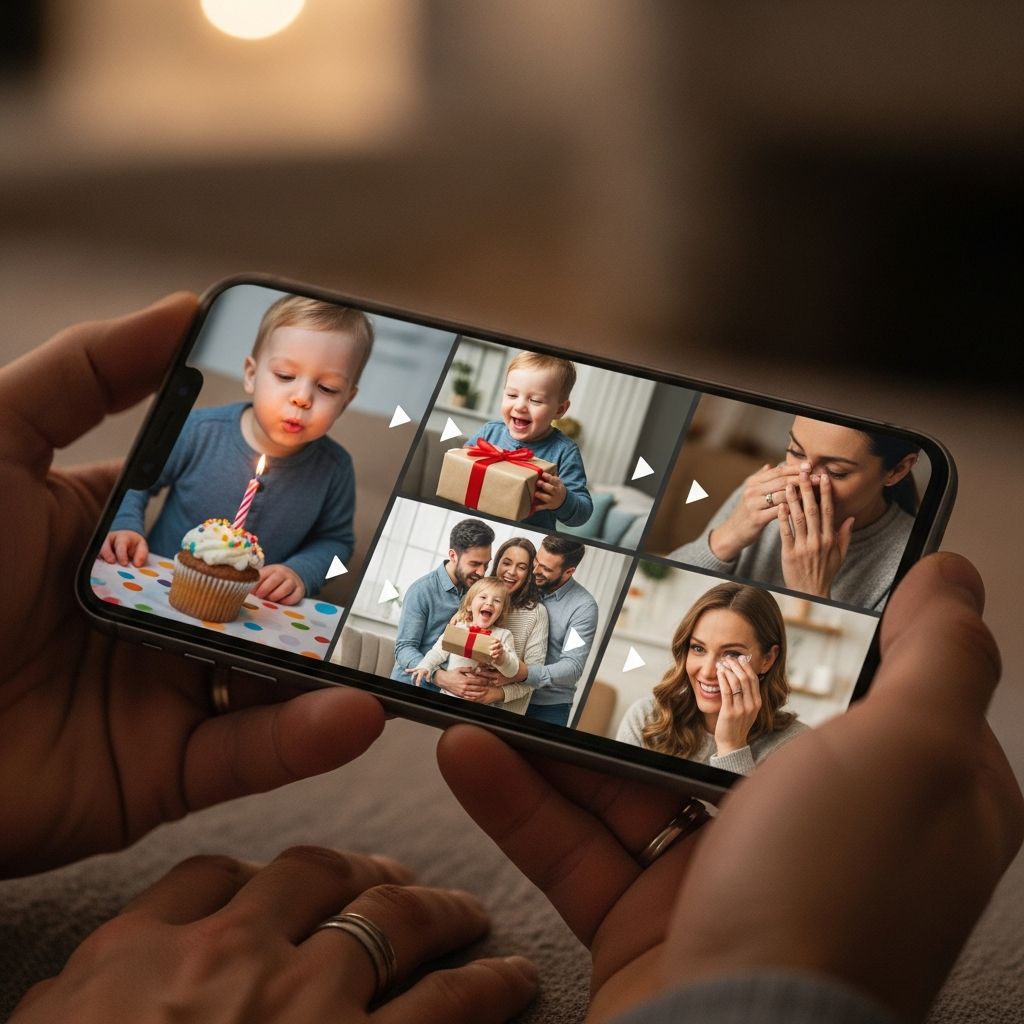
Few gifts feel as personal and powerful as a birthday montage that captures who your child is right now and how far they have come. Done thoughtfully, it becomes more than a video; it is a time capsule of love, growth, and all the tiny moments that might otherwise be forgotten.
This guide walks you through creating a meaningful birthday montage video from scratch, even if you are not tech-savvy and only have a camera phone and basic apps. The focus is on emotional impact, storytelling, and practicality for busy parents.
Why a Birthday Montage Matters
Before worrying about software or special effects, it helps to understand why this project is worth the time and effort. When you keep the purpose in mind, decisions about what to include and what to cut become much easier.
- It captures a season of life. Kids change so quickly that a year can feel like a lifetime; a montage freezes that year in place so you can revisit it together later.
- It becomes a family ritual. When you create a video every year, watching them back-to-back turns into a powerful birthday tradition that your child will anticipate as much as cake.
- It connects distant loved ones. Grandparents, godparents, and friends who live far away can send clips and messages, making them part of the day even when they cannot attend in person.
Deciding on the Story You Want to Tell
Great montages are built on a clear story. That does not mean a complicated script, only a simple idea that guides what you choose to include. The more intentional you are, the more emotional the finished piece will feel.
- Pick a theme or focus. You might center the video on “everything you loved this year,” “firsts and milestones,” or “how much your village loves you.” Let that guide your clip decisions.
- Choose a tone. Decide whether you want mostly funny and playful, mostly sentimental, or a mix that starts light and ends on a sweet, emotional note.
- Consider your audience. A video made to show at a party may move faster and include more crowd-pleasing moments than a slower, quieter version meant only for close family.
| Story Angle | Best For | What to Prioritize |
|---|---|---|
| “Look how you’ve grown” | Milestone birthdays (1, 5, 10, 13) | Before/after clips, height changes, skills learned |
| “All the things you love” | Any age, especially preschool and early school years | Favorite toys, activities, foods, places, and people |
| “Messages from your village” | When family lives far away | Short recorded greetings and inside jokes from loved ones |
| “A year in tiny moments” | Busy families with lots of candid phone clips | Brief everyday scenes: car rides, bedtime, goofy dances |
Gathering Photos and Clips Without Losing Your Mind
Most parents already have an overwhelming number of photos and videos scattered across phones, clouds, and relatives’ devices. The goal is not to find everything but to gather enough raw material that matches your story without burning out.
Step-by-step collection strategy
- Create a dedicated folder. On your phone or computer, make a new album or directory just for this year’s montage so you have a single place to drop candidates.
- Skim instead of searching deeply. Scroll your camera roll by month and quickly add anything that immediately makes you smile, laugh, or say, “That is so them.”
- Ask close family for their favorites. Grandparents and partners often capture moments you missed; ask them to send 3–5 clips or photos rather than “everything.”
- Include non-video memories. Snap quick photos of artwork, report cards, ticket stubs, or notes and drop those into the folder as visual texture.
What to prioritize when choosing clips
- Emotion over perfection. A shaky video of your child belly-laughing is more powerful than a perfectly framed but forgettable shot.
- Variety of settings. Aim for a mix of home, school, outdoors, special trips, and ordinary daily routines to paint a full picture of their year.
- Faces and voices. Clips where your child is talking, singing, or reacting help the montage feel alive and personal.
Trimming Down: Less Is More
The hardest part of making a birthday montage is often saying no to clips you love. Attention spans are short, especially with kids; a tightly edited 4–6 minute video is almost always more moving than a 15-minute epic.
- Set a target length. For younger kids and party viewing, aim for 3–5 minutes; for older kids or private family viewing, 6–8 minutes can work.
- Limit each clip. Few raw clips need to be longer than 5–10 seconds; trim to the moment of expression, reaction, or punchline.
- Remove duplicates. If you have several versions of the same event, pick the strongest one or combine a few very short snippets.
Choosing Music That Fits Your Child and Your Audience
Music does a lot of the emotional heavy lifting in a montage. Before you choose a specific song, think about how and where the video will be shared and what feels authentic to your child’s personality.
How to select the right track
- Match the age and vibe. A gentle, melodic song works well for toddlers, while an upbeat track can better match a school-age child’s energy.
- Think about the lyrics. Make sure any vocal track has words you are comfortable having replayed at family gatherings and re-watched in years to come.
- Plan for copyright limitations. If you might upload the video to social media or a video platform, consider royalty-free music libraries or tracks included within your editing app to avoid takedowns or muting.
Using multiple songs effectively
- Segment your story. You can use one lighter song for funny baby clips and a second more emotional song for heartfelt messages toward the end.
- Keep transitions clean. Fade one track out completely before the next fades in to avoid jarring jumps unless your editing tools allow seamless crossfades.
Structuring the Montage Like a Mini-Movie
Even a simple home-edited montage feels more powerful when it loosely follows a beginning, middle, and end. This structure helps the video feel intentional rather than like a random slideshow.
Simple narrative flow
- Opening “hook.” Start with a strong image or short clip that instantly feels like your child: a signature grin, a silly dance, or a meaningful close-up.
- Middle “chapters.”strong> Group a few clips around mini-themes like “adventures,” “school and friends,” “things you love,” or “family time.” No need for formal labels—just cluster them in your editing timeline.
- Closing “love letter.”strong> End with a calm section featuring recorded messages, a quiet lullaby-like song, or text on screen expressing what you hope for them in the coming year.
Adding Personal Touches: Text, Voiceovers, and Messages
Words layered over images elevate your montage from a nice video to something that feels handcrafted just for your child. You can keep it simple or add a few creative flourishes without needing advanced skills.
On-screen text ideas
- Age and milestones. Brief captions like “First day of second grade” or “You finally learned to ride without training wheels” give context without slowing down the video.
- Quotes from your child. Type out funny or memorable phrases they said this year, paired with matching footage or photos.
- Section titles. Optional short titles such as “Our Silly Moments” can help divide the video into understandable segments.
Voiceovers and spoken messages
- Parent narration. Record a short introduction explaining what this birthday means to you or describing who your child is right now in your own words.
- Family greetings. Invite siblings, grandparents, and close friends to record 5–10 second clips finishing prompts like “I love when you…” or “My favorite memory of you this year was….”
- Your child’s own voice. Include snippets of your child telling a story, singing, or simply saying their name and age; future versions of them will cherish hearing that.
Practical Editing Tips for Busy Parents
You do not need advanced software to create a moving montage. Most smartphone apps and basic desktop programs have everything necessary if you focus on what actually matters: pacing, clarity, and emotional flow.
- Work in short bursts. Edit in 20–30 minute sessions over several days rather than trying to build the entire video in one exhausted evening.
- Rough cut first, polish later. Start by dropping clips roughly in order, then go back to tighten, add music, and adjust transitions once the structure feels right.
- Use simple transitions. Clean cuts and occasional fades usually look more professional than a slideshow of spinning or bouncing special effects.
- Balance volume. Lower music slightly when people are speaking and raise it when the focus is on visuals to avoid straining to hear voices.
Making It a Collaborative Project
Involving others in the process can turn your montage into a community-made love letter rather than a solo project. Collaboration also gives you more material with less work on your end.
- Set clear guidelines for contributors. When you ask for clips, give a deadline, preferred orientation (horizontal or vertical), and suggested length.
- Offer prompts. Rather than “send anything,” suggest specific ideas like “say one thing you love about them” or “share a funny story from this year.”
- Collect early. Start asking for clips at least two weeks before the birthday so you have plenty of time to organize and edit.
Planning the Big Reveal
How you share the montage can be just as memorable as the video itself. Think about timing, setting, and who will be watching to create a little bit of magic around the first viewing.
- Choose the right moment. For parties, play the video after cake when everyone is gathered and still energized; for quieter celebrations, make it part of a bedtime ritual or one-on-one cuddle time.
- Set the stage. Dim the lights, pause other noise, and invite everyone to put phones away so the focus stays on the screen and your child’s reactions.
- Capture their response. If your child is comfortable with it, record their face as they watch; future-you will love seeing their expressions as much as the montage itself.
Archiving and Building a Yearly Tradition
Once you have invested the effort into a birthday montage, treat it like the family heirloom it is becoming. Properly storing and backing up your creation means it can be enjoyed long after the current devices are outdated.
- Save in multiple places. Keep a copy on your computer, an external drive, and a reliable cloud storage service to protect against loss.
- Label with care. Use naming conventions such as “ChildName_Age_BirthdayMontage” so you can easily find and line them up over the years.
- Rewatch together annually. Each new birthday, watch previous montages as a countdown to the newest one; it turns the video into a living tradition instead of a one-time project.
Common Mistakes and How to Avoid Them
Even the most heartfelt project can run into snags. Being aware of frequent pitfalls helps you sidestep frustration and keep the focus on joy, not perfection.
- Trying to include everything. Solution: Be ruthless. Remind yourself that leaving something out this year leaves room for future videos.
- Starting too late. Solution: Set a light schedule a few weeks ahead, even if that just means deciding which evenings you will dedicate 20 minutes to editing.
- Overusing effects. Solution: Limit yourself to one or two simple transition types and a consistent font style for text.
- Ignoring audio quality. Solution: Preview the entire video once with your eyes closed to check whether voices are clear and the music level is comfortable.
Frequently Asked Questions
How early should I start working on a birthday montage?
Ideally, start at least two to three weeks before the birthday, especially if you plan to collect clips from other people. That gives you time to gather material, make initial selections, edit in short sessions, and troubleshoot any technical issues without last-minute stress.
What if I don’t have many videos from this year?
You can still make a beautiful montage by combining a smaller number of video clips with photos, scanned artwork, screenshots of funny text exchanges, and a few newly recorded messages. Focus on quality and meaning rather than quantity.
Do I have to use professional editing software?
No. Many parents create touching birthday montages using only apps that come with their phones or simple drag-and-drop editing tools. The emotional impact comes from the story, not the complexity of the software.
How long should the finished video be?
For most kids and most audiences, 3–6 minutes is a sweet spot. Longer videos may still work for small family viewings, but if you plan to show the montage at a party, shorter is almost always better.
What if my child does not like being the center of attention?
Consider showing the montage privately with just immediate family, or even letting your child watch it alone first. You can also shape the video to emphasize shared memories and group scenes rather than constant close-ups to keep it comfortable for them.
Turning Everyday Clips into Lifelong Treasure
A birthday montage does not have to be perfect to be powerful. With some intentional choices, a bit of organization, and a willingness to trim, you can transform scattered phone clips into a gift your child will revisit for years. What matters most is that the video reflects who they truly are and how deeply they are loved right now, in this particular chapter of their life.