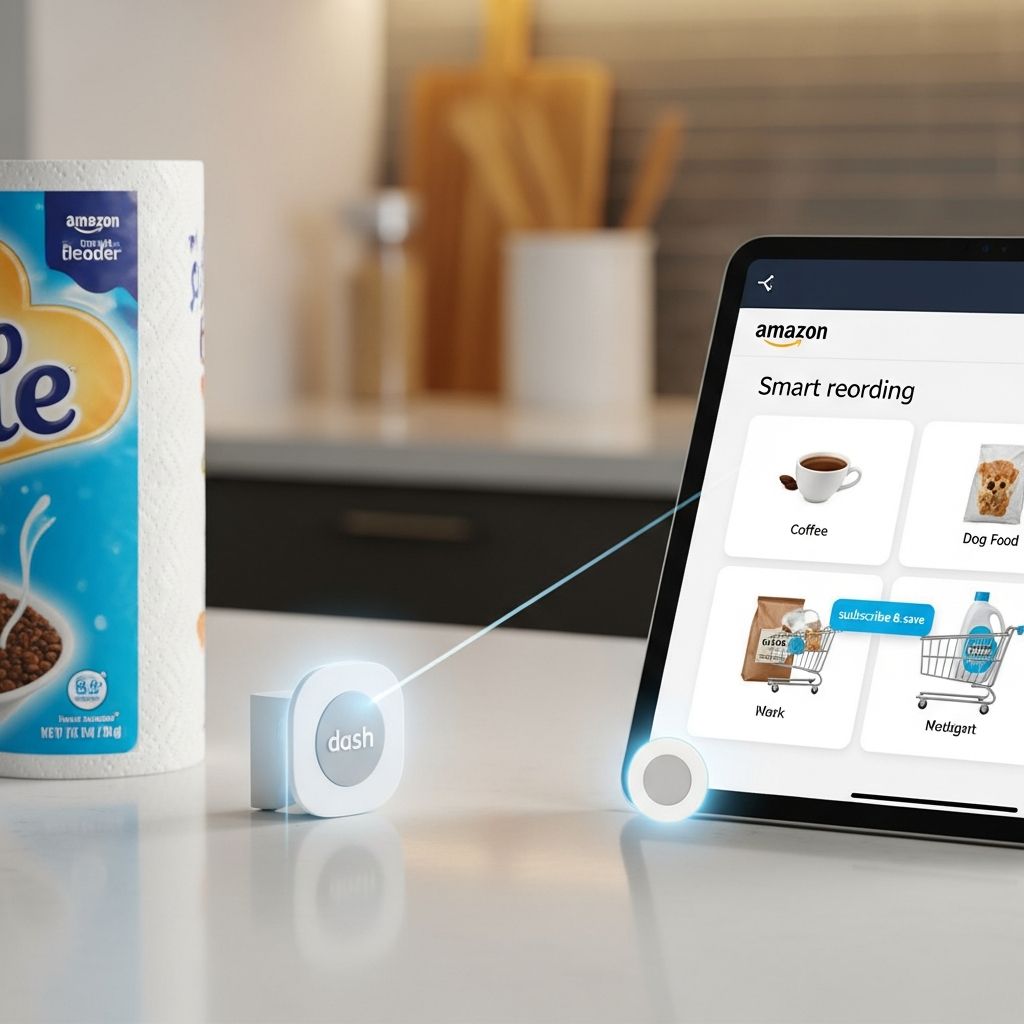
Running out of paper towels in the middle of a spill or discovering there is no detergent on laundry day is a classic household frustration. Amazon’s family of Dash products was created to solve exactly that problem by making it almost effortless to reorder the things people buy over and over again. Although the physical Dash hardware has evolved and some devices have been retired, the ideas behind it continue to influence smart shopping and connected homes.
From One-Click to No-Think: The Idea Behind Amazon Dash
Before Dash, Amazon had already simplified online shopping with features like one-click ordering and subscriptions. Dash took this a step further by moving the buying decision closer to the moment and place of need—your kitchen counter, laundry room, or pantry shelf.
- Reduce friction: Turn a multi-step online purchase into a single action.
- Capture recurring purchases: Focus on products people regularly replenish, like cleaning supplies or groceries.
- Integrate with the smart home: Let devices and small gadgets trigger or prepare orders automatically.
Instead of opening a laptop or app, users could press a button, scan a barcode, or speak into a small handheld wand to add items to their Amazon cart or place an order.
The Building Blocks of Dash: Buttons, Wand, and Replenishment
Over time, Amazon developed Dash into several related products and services, each aimed at making reordering more convenient.
| Dash Component | What It Was | Main Use |
|---|---|---|
| Dash Wand | Wi-Fi barcode scanner with voice input linked to Amazon Fresh. | Build grocery lists by scanning packages or saying product names. |
| Dash Button | Small Wi-Fi button tied to a specific product or brand. | Press once to reorder a chosen household item. |
| Dash Replenishment | Cloud service for manufacturers to add auto-reordering to devices. | Devices sense low supplies and trigger smart reorders through Alexa. |
Physical Dash Buttons: One-Press Reordering
The physical Dash button was a small, brand-specific device, typically stuck near where a product was used—next to the washing machine for detergent or under the sink for trash bags.
- Wi-Fi connected: Linked to a home network and a user’s Amazon account.
- Brand-focused: Each button was configured for a particular product, though users could change the exact item in their account settings.
- Press to reorder: One tap initiated an order or added the product to the cart, with safeguards to avoid accidental duplicates.
By literally placing the button at the point of consumption, Amazon shortened the psychological and physical distance between noticing a need and acting on it.
Dash Wand: Scan and Speak Your Shopping List
The Dash Wand, originally branded simply as Amazon Dash, resembled a small remote with a barcode scanner and microphone.
- Barcode scanning: Users scanned product packages to add them directly to an Amazon Fresh cart.
- Voice input: Shoppers could say the name of an item when a barcode wasn’t available.
- Amazon Fresh integration: The device tied into Amazon’s grocery delivery service, reflecting Amazon’s early experiments in online groceries.
Later versions added Alexa capabilities, allowing people to ask for recipes or reorder through voice in addition to scanning.
Dash Replenishment: When Devices Order for You
Dash Replenishment Service (DRS) shifted the responsibility for reordering from people to their devices. Manufacturers could integrate sensors and cloud connectivity so products could detect low supplies and reorder automatically through Amazon.
- Sensor-based monitoring: Devices track usage or levels, such as ink in a printer or detergent in a washing machine.
- Cloud reporting: Usage data is sent to the manufacturer’s cloud and then to Alexa’s Dash Replenishment service.
- Smart reordering: The system places orders or notifies users through the Alexa app when supplies run low.
Examples include:
- Printers that monitor ink or toner levels and reorder cartridges.
- Thermostats that track fan hours and prompt new air filters.
- Washing machines that count laundry cycles and predict when detergent pods are running out.
Why Dash Mattered: Benefits for Shoppers and Brands
Although Dash sometimes attracted curiosity and skepticism, it addressed real pain points in how people buy everyday items.
Convenience for Busy Households
For families, Dash targeted moments when opening an app is inconvenient—hands wet from washing dishes, arms full of laundry, or kids creating a new mess.
- Fewer emergency store trips: Reordering at the first sign of running low reduces “midnight store run” scenarios.
- Consistency: People can keep buying the same trusted brands without re-searching each time.
- Shared access: Anyone in the household can press a button or scan an item, not just the primary shopper.
Data and Loyalty for Brands and Amazon
Dash also created strategic advantages for Amazon and partner brands.
- Increased purchase frequency: Simple reordering encourages staying within the Amazon ecosystem and reduces the chance of switching to competitors.
- Behavioral data: Usage and reorder information helps companies understand real-world consumption patterns over time.
- New business models: Manufacturers can participate in revenue-sharing on consumables sold through Dash Replenishment.
By embedding ordering capabilities directly into products and homes, Amazon moved closer to its goal of making shopping nearly invisible.
Behind the Scenes: How Dash Replenishment Works Technically
From a developer and device-maker perspective, Dash Replenishment combines hardware sensors, cloud services, and Alexa integrations.
Key Technical Steps
- Measure usage or levels: Devices include sensors, counters, or software logic to estimate remaining consumables (for example, percent of ink left or number of cycles run).
- Send data to the cloud: Usage data is securely transmitted to the manufacturer’s device cloud and then to Alexa’s Dash Replenishment APIs.
- Link products: The manufacturer specifies which SKUs (product variants) correspond to a given device model.
- Enable smart reordering: Within the Alexa app, customers authorize which items to reorder and how Dash Replenishment should behave (auto-order or notify first).
This integration leverages Amazon’s existing payment, fulfillment, and customer service capabilities so hardware companies do not need to build their own logistics stack.
Dash in the Larger Smart Home and IoT Landscape
Dash was one of the early consumer-facing examples of the Internet of Things (IoT) applied to everyday commerce.
- Everyday IoT: Instead of focusing on complex industrial systems, Dash applied connectivity to detergent, ink, water filters, and coffee pods.
- Behavioral change: By teaching people to press buttons or let devices manage supplies, Dash nudged shoppers toward trusting automation.
- Path to predictive shopping: Data from Dash and similar tools can, in theory, support automatic, predictive ordering that anticipates needs before people notice them.
Commentary from academics and industry observers has highlighted how Dash may serve as a stepping stone toward more autonomous supply chains and personalized retail experiences.
Practical Tips: Using Smart Reordering Features Today
While some physical Dash devices are no longer sold, the underlying capabilities—virtual buttons, voice ordering, and auto-replenishment—continue in updated forms.
Choosing What to Automate
- High-frequency items: Automate products you buy often and in predictable quantities, such as paper towels, pet food, or dishwasher tablets.
- Non-perishables: Focus on goods that do not spoil quickly to avoid overstocking.
- Critical supplies: Consider smart reordering for items where running out is disruptive, like printer ink for home offices.
Balancing Control and Convenience
Most smart replenishment systems allow shoppers to choose between fully automated orders and notifications.
- Notifications first: Start with alerts when levels are low, then manually approve early orders until you trust the estimates.
- Review settings regularly: Adjust quantities or frequency if your household size or habits change.
- Monitor prices: While automation is convenient, periodic price checks help ensure continued value.
Frequently Asked Questions (FAQs)
What was the main purpose of Amazon Dash?
Dash was designed to simplify reordering of everyday products by letting people press a physical button, scan items, or rely on connected devices to trigger purchases at the moment of need.
How is Dash Replenishment different from a typical subscription service?
Traditional subscriptions send items on a fixed schedule, while Dash Replenishment uses data from devices to reorder only when supplies are actually low, making orders more closely match real usage.
Do devices reorder items automatically without my approval?
Customers configure preferences in the Alexa app; they can allow automatic orders or choose to receive notifications first, keeping control over when purchases occur.
What kinds of products can work with Dash Replenishment?
Any device that uses consumables—such as printers (ink), thermostats (filters), washing machines (detergent), dishwashers (detergent), electric toothbrushes (brush heads), and smart locks (batteries)—can be integrated if manufacturers add the necessary sensors and cloud connectivity.
Is Dash still relevant now that we have voice assistants like Alexa?
Yes. While some physical Dash hardware has been phased out, its concepts live on in Alexa voice ordering, virtual buttons, and Dash Replenishment, which continue to automate and streamline repeat purchases.
References
- Dash Services — Amazon Developer. 2024-01-10. https://developer.amazon.com/en-US/alexa/dash-services
- Dashing into a digital future with the Amazon Dash — Harvard Business School, Digital Initiative. 2017-11-07. https://d3.harvard.edu/platform-rctom/submission/dashing-into-a-digital-future-with-the-amazon-dash/
- Amazon Dash: A shopping device that lets you scan, speak to order — GeekWire. 2014-04-04. https://www.geekwire.com/2014/amazon-dash/
- Amazon Dash — Wikipedia. 2023-08-15. https://en.wikipedia.org/wiki/Amazon_Dash
- How will Amazon Dash affect the Internet of Things? — Supply Chain Digital. 2015-08-18. https://supplychaindigital.com/logistics/how-will-amazon-dash-affect-internet-things