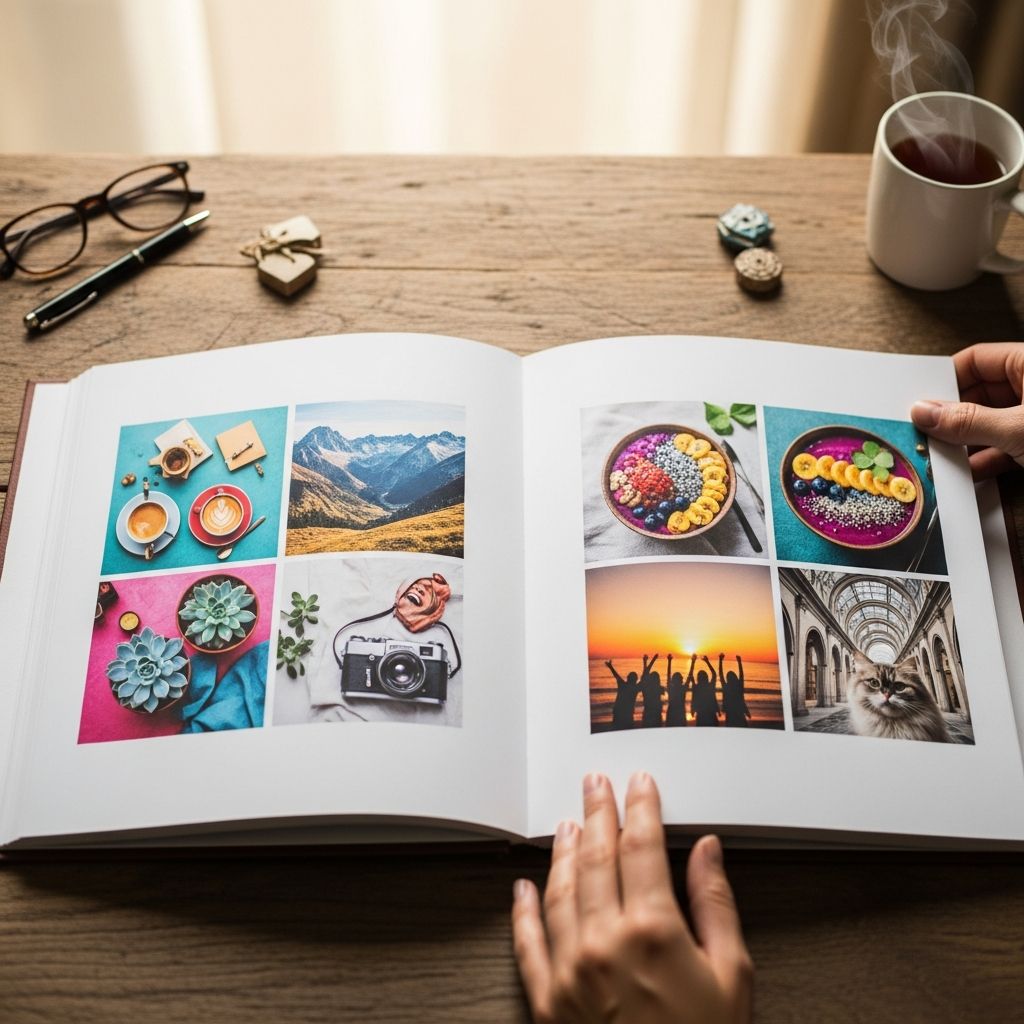
Instagram is already a curated highlight reel of your life. With a little planning, you can turn that digital scrapbook into a tangible photo album your family can flip through for years. This guide walks you through every step, from choosing photos to ordering a printed book, using your Instagram account as the starting point.
Why Print an Album From Instagram?
Our phones are full of images, but the moments we actually remember are often the ones we can hold in our hands. Printing a photo album from Instagram offers several advantages over starting from scratch in a traditional photo editor.
- Built-in curation: You already filtered the best shots before posting them, which means less time sifting through forgettable photos.
- Ready-made captions: Many album services can pull your Instagram captions, dates, and even comments, helping you preserve the stories behind the images.
- Automatic organization: Instagram posts are timestamped, which makes sorting by month, year, or event much easier.
- Easy collaboration: Shared family accounts and hashtags make it simple to gather posts from multiple people into one book.
Research in developmental psychology suggests that children benefit when families review shared experiences and narratives together, including through photos and storytelling. A printed album provides a concrete way to revisit those memories at the dinner table or bedtime, not just on a screen.
Step 1: Decide What Story You Want the Album to Tell
Before downloading anything or choosing a printing service, decide what kind of story you want this album to tell. That will shape every decision that follows.
Common Album Themes
- Year in review: A chronologically ordered album covering one calendar year of family life.
- Milestone album: A focused book about pregnancy, a baby’s first year, a big move, or a wedding season.
- Travel journal: A trip or series of trips, using Instagram posts to reconstruct your itinerary.
- Relationship story: From first date posts to engagement and beyond.
Questions to Clarify Your Goal
- Who is this album primarily for? (You, your partner, grandparents, your child later on?)
- How long should it cover? (Three months, a year, several years?)
- Do you want lots of text, or mostly images with minimal captions?
- Are you aiming for a coffee-table showpiece or an everyday, kid-friendly flip book?
Write down your answers—this will help you avoid feature overload later when you start designing pages.
Step 2: Curate Your Instagram Posts
Next, you need to narrow your Instagram feed down to the posts that deserve a permanent place in print.
Use Instagram’s Built-In Tools to Pre-Select Posts
Instagram lets you save posts into collections, which are like private folders for organizing images. This is useful whether you plan to use a printing service that connects directly to Instagram or you’ll download and upload images yourself.
- Tap the bookmark icon under your own posts and sort them into a dedicated collection such as “2024 Album Picks.”
- Create separate collections for different themes (for example, “Vacation Album,” “Baby’s First Year”).
- Invite your partner to do the same on their account and then compare selections.
Collections won’t change what your followers see; they are visible only to you. They are simply an organizational tool that saves time when you later export or connect to a photo-book platform.
How to Choose the Right Photos
As you scroll through your feed, ask yourself:
- Does this image represent a memory we’ll care about in 5 or 10 years?
- Is it visually clear enough to print? (Avoid dark, blurry, or heavily filtered shots that might not scale well.)
- Does this image add something new? Try not to include five nearly identical photos from the same moment.
A simple rule of thumb is to keep roughly 1 out of every 5–10 posts for the album. This keeps the book meaningful and avoids overwhelming the reader.
Step 3: Gather Your Photos and Captions
Once you have a curated set of posts, you need to bring them from Instagram into an environment where they can be turned into a book. Many photo-book services now offer direct Instagram integrations to automate much of this.
Options for Importing Instagram Content
| Method | Pros | Cons |
|---|---|---|
| Direct Instagram connection (via a photo-book service) | Fast, often imports images, dates, and captions automatically. | Requires granting app access to your Instagram data; layout templates may be less flexible. |
| Manual download & upload | Maximum control over which files and edits you use; you can also mix in non-Instagram photos. | More time-consuming; you may need to copy captions manually. |
| Cloud photo library sync (e.g., Google Photos, iCloud) | Lets you combine Instagram shots with originals, live photos, or DSLR images in one place. | Requires you to remember which photos correspond to which posts and reconstruct captions. |
Services like My Social Book and Mixbook offer streamlined pipelines for creating Instagram-based photobooks, often in just a few steps: sign in with Instagram, select a time range or theme, and then fine-tune the selection before printing.
Step 4: Organize the Album’s Structure
With your images collected, the next step is designing the narrative flow of the album. Instead of thinking only in terms of individual pictures, think in terms of sections.
Ways to Structure the Album
- Chronological: Organize by month, season, or year. This is ideal for “year in review” albums.
- By theme: Have chapters like “New Home,” “Weekends,” “Holidays,” and “Everyday Moments.”
- By person: Separate sections highlighting each child, plus a section for couple or family shots.
- Hybrid: Use chronology within each themed chapter (for example, “Baby’s First Year,” arranged by month).
Most photo-book editors let you drag and drop pages or spreads to rearrange them. Take advantage of this to ensure important milestones land on their own page or a full spread.
Balancing Big Moments and Small Details
Try pairing a major highlight (like a birthday party) with smaller, quieter images on adjacent pages. Research on autobiographical memory shows that everyday moments can be just as important as major events in forming a cohesive life narrative for children. Including both gives your future self a fuller sense of what day-to-day life was like.
Step 5: Design Choices That Make Your Book Feel Professional
You do not need graphic design skills to make a beautiful album. A few consistent choices will go a long way.
Choose a Simple, Consistent Layout
- Pick one or two main layout styles (for example, one large image per page, or a grid of four) and repeat them.
- Reserve full-page spreads for your absolute favorite shots.
- Use white space intentionally; overcrowded pages are harder to enjoy.
Handle Captions and Text Thoughtfully
Many services allow you to automatically import Instagram captions and dates. That can be a time-saver, but consider editing them for print:
- Trim out time-specific references that won’t make sense later (for example, mentions of limited-time events or in-jokes without context).
- Remove long chains of hashtags that clutter the page.
- Fix typos or shorthand without changing the tone.
You can also use your original Instagram caption as a base, but rewrite it more like a diary entry or letter to your child. For example, turn a quick joke into a short paragraph explaining why the moment mattered to you.
Pick Fonts and Colors With Longevity in Mind
- Use a clean, easy-to-read font for body text and dates.
- Reserve decorative fonts for titles or chapter headings.
- Choose neutral or soft background colors that won’t compete with the photos.
Remember that printing can subtly shift colors, so extreme filters or very dark images may appear different on paper than on your phone screen.
Step 6: Choose the Right Print Format
Once your layout is ready, it is time to decide what kind of physical book to order. Photo-book services usually provide several options.
Key Format Decisions
- Size: Smaller books (7×7 or 8×8 inches) are great for kids and grandparents. Larger sizes (10×10 or 11×14 inches) are better for coffee tables and displaying travel photography.
- Orientation: Square formats match Instagram’s original grid nicely, while landscape formats can showcase wide shots and collages.
- Cover type: Softcovers are lighter and more affordable; hardcovers are more durable for books you expect kids to flip through often.
- Paper quality: Thicker, matte paper handles fingerprints better and often looks more like an art book.
Some providers let you preview how your Instagram images will look on different paper types or with different bindings before purchasing. Take advantage of that preview to confirm your choices.
Step 7: Add Personal Touches Beyond Instagram
Instagram is your starting point, not your only source. Consider enriching the album with materials that never made it to social media.
- Unposted photos: Add those silly or imperfect shots that capture personality but never felt “feed worthy.”
- Scans or screenshots: Include kids’ drawings, report cards, or a screenshot of a meaningful text exchange.
- Reflections: At the end of each chapter, add a short note about what you learned that season or what you hope your child remembers.
This combination of curated Instagram highlights and more private moments can make the album feel intimate rather than performative.
Step 8: Order, Store, and Share Your Album
Before placing your order, give the book one last careful review:
- Check for typos in captions and dates.
- Verify photo resolution warnings from the printer (low-resolution images may print blurry).
- Confirm that important events and people are represented.
After ordering, treat the physical book as an heirloom:
- Store one copy in a safe, dry place away from direct sunlight.
- Consider ordering a second, “everyday” copy that kids are allowed to handle freely.
- Gift copies to grandparents or relatives who may not use Instagram regularly.
Backup is also important. Many photo-book services allow you to reprint the same design later, and you should also keep your digital source files stored in a cloud service or external drive.
Frequently Asked Questions (FAQs)
Q: Is it safe to connect my Instagram account to a photo-book service?
A: Reputable services use secure connections and request only the permissions needed to import your images and captions. Always review the app’s privacy policy, check for HTTPS in your browser, and consider revoking access in your Instagram settings after you finish the project.
Q: Can I include photos that were never posted on Instagram?
A: Yes. Most photo-book platforms let you upload images from your phone, computer, or cloud storage alongside Instagram imports. This is a good way to add candid family photos, professional portraits, or older images from before you joined Instagram.
Q: Will my Instagram filters affect print quality?
A: Strong filters, high contrast, and heavy grain can look different when printed, sometimes darker or more saturated than on a backlit screen. If a photo is very important, consider re-editing a copy with more natural colors before uploading.
Q: How many pages should my Instagram photo album have?
A: Many services support between 20 and 400 pages, but a practical range for a family album is 40–120 pages. Shorter books are easier for kids to flip through, while longer books work well for multi-year summaries or travel anthologies.
Q: Can I make a new album every year using the same process?
A: Absolutely. If you consistently save your favorite posts to an Instagram collection throughout the year, creating an annual album becomes a quick end-of-year ritual rather than a huge project. Many families treat this like updating a family yearbook.
References
- Back up your photos & videos — Google. 2024-03-01. https://support.google.com/photos/answer/6193313
- Instagram Photo Book — My Social Book. 2024-02-15. https://www.mysocialbook.com/pages/instagram-book-photobook
- Digital photography: Printing tips — Cambridge in Colour. 2023-07-10. https://www.cambridgeincolour.com/tutorials/digital-photo-printing.htm
- Family reminiscing and the development of autobiographical memory — Fivush, R. & Nelson, K., Memory. 2004-01-01. https://doi.org/10.1080/09658210344000323
- The development of autobiographical memory — Bauer, P. J., Annual Review of Psychology. 2007-01-10. https://doi.org/10.1146/annurev.psych.58.110405.085832
- How to transform your Instagram posts into a beautiful Mixbook — Mixbook. 2023-06-20. https://www.mixbook.com/inspiration/instagram-posts-into-beautiful-photo-album
- Create a collection for posts you save on Instagram — Instagram Help Center. 2024-05-01. https://help.instagram.com/274531543007118