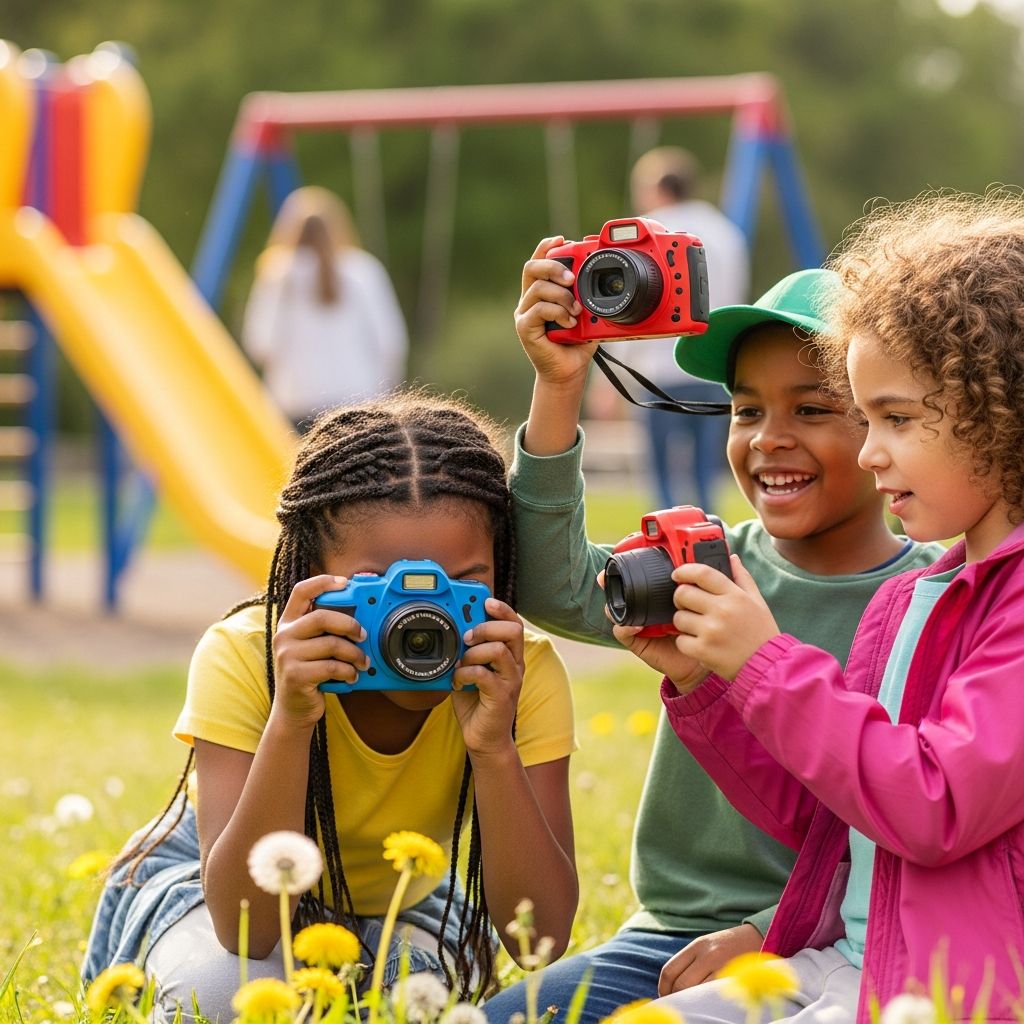
Handing a child their own camera can turn everyday moments into tiny adventures and give them a creative outlet that feels both grown-up and fun. The challenge for many parents is figuring out which digital camera will survive real-world kid use while still taking decent photos and staying within budget.
Why Give a Child Their Own Camera?
A kid-friendly digital camera is more than a toy; it is a tool that helps children observe, tell stories, and build confidence. It gives them permission to notice details adults often overlook, from the family pet’s whiskers to the texture of a tree trunk. Because the photos are digital, kids can experiment freely without anyone worrying about wasted film or printing costs.
- Photography encourages curiosity and helps kids pay attention to their surroundings.
- Children gain a sense of ownership and responsibility over a real device, in a safer way than handing over an expensive phone.
- Taking photos can be a calming activity for shy or anxious kids who prefer observing to being the center of attention.
Core Things to Consider Before You Buy
Before falling in love with cute colors or built-in games, it helps to step back and think through how your child will actually use the camera. The right choice for a preschooler is very different from what works for an older grade-schooler or tween.
- Age and maturity level: Younger children need extreme durability and simple controls, while older kids may want better image quality and real features like zoom and video.
- Where the camera will be used: Indoor play, vacations, school trips, sports, or the backyard all place different demands on battery life, sturdiness, and low-light performance.
- How involved you want to be: Some cameras are “set it and forget it”; others may require you to help transfer photos, change settings, or charge batteries.
Age-by-Age Recommendations
The table below summarizes what typically works best at different ages. Every child is unique, but this gives a useful starting point.
| Age Range | Main Priority | Ideal Camera Type | Key Features to Look For |
|---|---|---|---|
| 3–5 years | Survivability and ease of use | Rugged toy-style digital camera | Big buttons, basic photo and video, rubberized shell, simple menus |
| 6–8 years | Fun plus learning | Kid camera with more options or basic compact camera | Moderate megapixels, simple zoom, silly filters, wrist strap, rechargeable battery |
| 9–12 years | Growing skills and creativity | Entry-level point-and-shoot or rugged family camera | Better lens, faster focus, image stabilization, HD video, more storage |
| Teens | Real photography practice | Beginner mirrorless or advanced compact | Manual modes, good low-light performance, interchangeable lenses (optional) |
Essential Features to Prioritize
Not every specification on the box matters for kids. Some features sound impressive but make little real-world difference, while others quietly determine whether your child will actually enjoy the camera.
Durability and Design
For young children, durability often matters more than pure image quality. Look for cameras with a chunky design that small hands can grip easily and that can survive being dropped, stuffed into backpacks, or used with sticky fingers.
- Rubber bumpers or a shock-proof body protect against drops from kid-height.
- A recessed lens or automatic lens cover reduces the chance of scratches.
- Water-resistant or waterproof options are helpful for beach days, puddles, and unexpected spills.
Ease of Use
If a child needs constant adult help to operate the camera, it will quickly be forgotten on a shelf. Simplicity is your best friend, especially for first-time users.
- Clear icons and minimal menus prevent confusion.
- A dedicated shutter button, clearly marked power button, and obvious playback button keep frustration low.
- Touchscreens can be intuitive for older kids who are used to phones and tablets, but big physical buttons often work better for preschoolers.
Image Quality vs. Megapixel Hype
Parents are often tempted by high megapixel numbers, but those numbers do not tell the whole story. Kids primarily view photos on screens or small prints, so a modest resolution is usually enough.
- For toy-style cameras, 5–8 megapixels is usually sufficient for sharing online or small prints.
- For older children interested in photography, moving up to 12 megapixels or more and a better lens can make sense.
- Focus more on a responsive shutter and decent performance in everyday indoor light rather than chasing the highest resolution available.
Video Capabilities
Many kids are just as interested in making little movies as taking still photos. Simple video recording can add a lot of value without needing professional-grade quality.
- Basic HD video (720p or 1080p) is usually fine for children’s projects, skits, and vlogs.
- An easy-to-find record button minimizes the risk of missing the action.
- Check how sound is recorded so expectations are realistic; built-in microphones on children’s cameras are functional but not studio-level.
Storage, Battery, and Connectivity
Nothing deflates a child’s enthusiasm faster than a “memory full” or dead-battery message during a fun outing. Thinking ahead about storage and power prevents tears later.
- Prefer cameras that use widely available memory cards rather than tiny proprietary formats.
- Rechargeable batteries reduce waste and ongoing costs, but consider having a spare or a power bank for trips.
- Simple USB transfer to a computer is usually enough; wireless options can be a bonus for older kids who want to copy photos to a phone or tablet.
Kid Camera vs. “Real” Camera
Parents often wrestle with whether to buy a brightly colored child-specific camera or a basic entry-level model designed for adults. Each path has strengths and weaknesses, and the right answer depends on your child’s age and temperament.
| Type | Pros | Cons | Best For |
|---|---|---|---|
| Kid-branded digital camera |
|
| Rough-and-tumble younger kids and first-time photographers. |
| Budget point-and-shoot |
|
| Elementary-age kids who are careful with electronics. |
| Rugged family camera |
|
| Active families and kids who love the outdoors. |
Built-In Games, Filters, and Extras: Helpful or Distracting?
Many child-specific cameras come packed with extras like silly sound effects, photo frames, games, and stickers you can add to pictures. These can make the camera feel more playful and help kids relax in front of the lens.
- For younger kids, fun filters and frames can encourage them to take more photos and explore different creative ideas.
- For older kids, too many gimmicks may feel babyish and get in the way of genuine interest in composition and storytelling.
- If your child already struggles with screen-time balance, a camera with no games might be a better fit.
Practical Safety and Privacy Tips
Any device that records photos and video deserves a bit of family discussion about safety. Even if a child’s camera has no internet connection, those photos may end up online once transferred to a parent’s phone or computer.
- Explain which places are off-limits for photos, such as bathrooms or locker rooms, in simple, age-appropriate language.
- Set clear rules about sharing pictures of friends, classmates, and teachers, especially on social media.
- Make a habit of occasionally reviewing images together so you can gently correct any privacy concerns before they become habits.
Budgeting Smartly: Where to Spend and Where to Save
There is a wide price range between basic toy cameras and more advanced models, and it is easy to overspend out of enthusiasm. Thinking strategically about your priorities can protect your wallet while still delivering a satisfying experience for your child.
- For a first camera, lean toward durability and ease of use over advanced specifications; it is better that the camera survives than that every photo is technically perfect.
- Consider buying used or previous-generation models for older kids who want real upgrades without the latest-and-greatest price tag.
- Remember hidden costs such as memory cards, protective cases, and spare batteries when comparing options.
Helping Your Child Get the Most Out of Their Camera
Buying the camera is only the beginning. A little parental guidance and a few simple routines can turn a novelty gadget into a meaningful, long-term hobby.
- Plan dedicated “photo walks” where the goal is simply to explore and take pictures, whether around the block or at a park.
- Create small challenges, such as “photograph something in every color of the rainbow” or “take five close-ups of textures.”
- Print a handful of your child’s favorite photos and display them at home or in a small album so they can see their work in a tangible form.
Simple Activities to Spark Creativity
Structured but playful prompts can help kids move beyond random snapshots and start thinking like storytellers. These activities work with any digital camera and can be repeated as your child’s skills grow.
- Daily life documentary: Ask your child to capture their day from morning to bedtime in 10 photos, then talk through the story they chose.
- Before-and-after series: Take photos of cleaning a room, building a tower, or baking cookies to show a beginning, middle, and end.
- Theme hunts: Choose a theme like “circles,” “shadows,” or “things that move” and see how many examples your child can find.
Frequently Asked Questions
What is a good age for a first digital camera?
Many children are ready for a very simple, rugged camera between ages three and five, especially if they already like using a parent’s phone camera. For younger preschoolers, the main goal is letting them play and explore, not producing perfect images.
Is a kids’ camera better than letting my child use my phone?
Giving a child their own camera avoids worrying about cracked smartphone screens and accidental messages or purchases. It also provides clearer boundaries, as the camera’s only job is taking pictures, not browsing, gaming, or texting.
How important is waterproofing?
Waterproofing is not essential for every family, but it can be a smart investment if you spend a lot of time near pools, lakes, or beaches, or if your child tends to spill drinks. A water-resistant camera is also reassuring on rainy days or messy art projects.
Do kids need manual controls like adults use?
Most younger kids do well with automatic modes, as these let them focus on framing and timing rather than technical settings. Older children who show serious interest in photography may enjoy stepping up to manual controls to experiment with light, motion, and depth of field.
How can I organize and share my child’s photos?
Set up a dedicated folder on your computer or cloud storage for your child’s images, and periodically transfer everything from the camera. You might create shared albums for grandparents, design small photo books for birthdays, or print a rotating selection of favorites for a bedroom display board.
Final Thoughts
The best digital camera for a child is one that matches their age, personality, and environment while leaving room for imagination. Choose a model that can endure real-world use, keep frustration low, and encourage your child to look at everyday life with a more curious, creative eye.