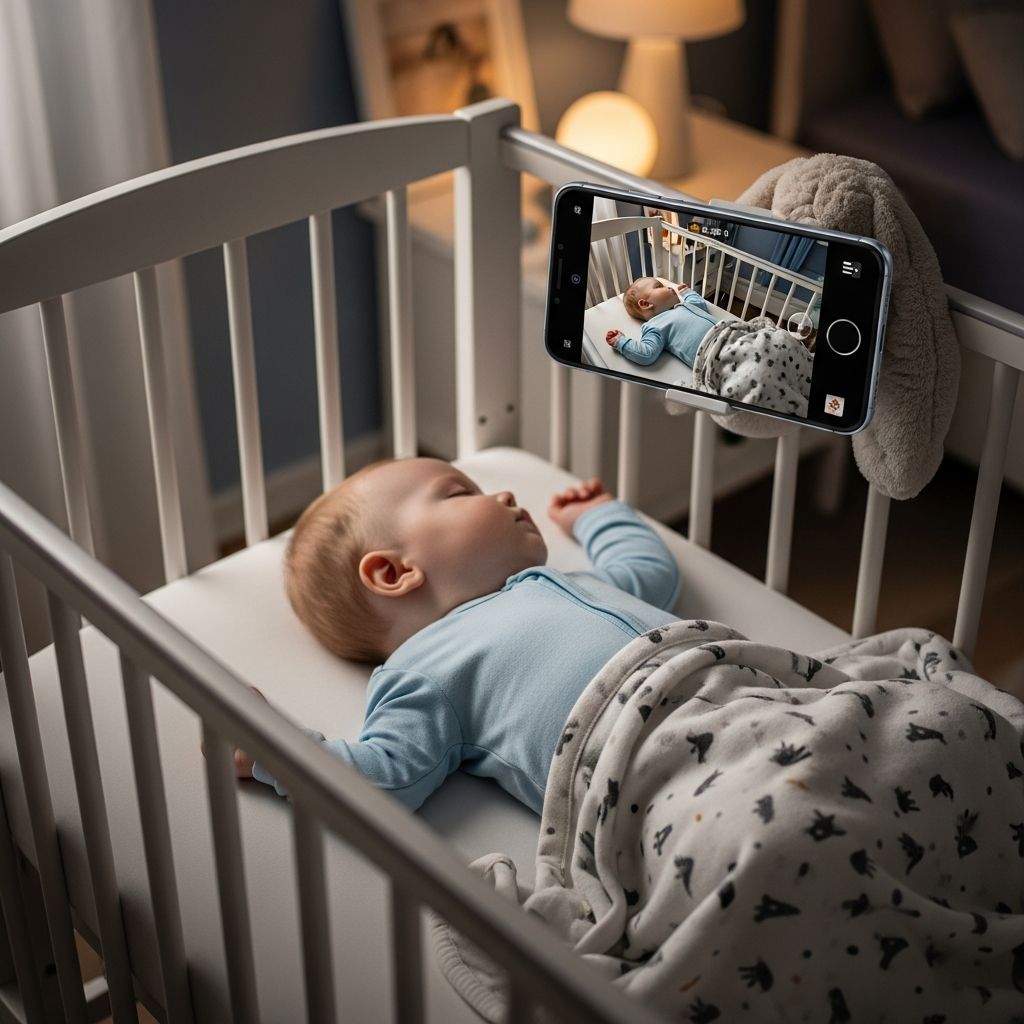
Repurposing old smartphones as baby monitors offers parents a budget-friendly alternative to dedicated devices. These setups provide audio and video feeds via Wi-Fi or local connections, leveraging apps designed for cross-device monitoring.
Why Choose a Smartphone-Based Baby Monitor?
Smartphones you already own can serve as powerful monitoring tools without additional purchases. They deliver high-quality video, two-way audio, and motion detection, often surpassing basic dedicated monitors in resolution and features. Benefits include portability for travel, easy integration with home networks, and access from anywhere with internet.
- Cost savings: No need for new hardware; use idle devices.
- Flexibility: Monitor via app on another phone or tablet remotely.
- Advanced features: Night vision, sound alerts, and temperature sensors via apps.
According to manufacturer guidelines, these systems require stable Wi-Fi for optimal performance, especially for remote viewing.
Essential Requirements for Setup
Before starting, ensure compatibility between devices. Most apps support iOS 14+ or Android 9+, with 2.4 GHz Wi-Fi networks recommended for reliable connections.
| Device Role | Minimum Specs | Example Devices |
|---|---|---|
| Baby Unit (Camera) | iOS 14+/Android 9+, camera, mic | Old iPhone, spare Android phone |
| Parent Unit (Viewer) | Stable internet, app support | Current smartphone, tablet |
| Network | 2.4 GHz Wi-Fi, strong signal | Home router, mobile hotspot |
Charge devices fully and position the baby unit securely, away from crib edges for safety.
Step-by-Step Setup for Android and iOS Apps
Select a dedicated app like those from VTech or universal options for phone-to-phone monitoring. Download on both units from official stores.
Using VTech-Compatible Apps
For VTech systems or similar, start with the parent unit to connect to Wi-Fi. Download the VTech Baby Pro or MyVTech Baby Plus app.
- Power on the parent unit and link it to your 2.4 GHz network.
- Scan the QR code on the parent unit via the app to pair the camera.
- Enable Wi-Fi, location, and Bluetooth permissions on the phone acting as camera.
- Enter Wi-Fi password; press pair button on camera until beep.
- Create a baby profile and test the live feed.
Once linked, view remotely even after powering off the parent unit.
Phone-to-Phone with Free Apps
Apps like those demonstrated in tutorials allow direct pairing without dedicated hardware.
- Install the app on both devices (e.g., baby station and parent unit).
- On baby station: Select camera (front/back), generate pairing code.
- On parent: Log in or create account, enter code, confirm connection.
- Enable notifications for sound/motion alerts.
Switch to sleep mode on parent unit to conserve battery; monitor shows battery status of baby unit.
iPhone-Specific Setup
For Apple users, apps like Baby Cam simplify the process.
- Download Baby Cam on both iPhones/iPads.
- Create account via Facebook or email on parent device.
- Set one as baby monitor: Activate mic/camera, adjust sensitivity.
- Connect via local Wi-Fi or Continuity features for seamless viewing.
Test audio levels; adjust for ambient noise to avoid false alerts.
Optimizing Audio and Video Quality
Fine-tune settings for clear monitoring. Position the baby phone on a stable stand like adjustable mounts for optimal crib view. Night mode activates automatically in low light on most apps.
- Sensitivity: Set sound thresholds to detect cries without kitchen noises.
- Video: Use back camera for wider angle; enable zoom on parent app.
- Battery life: Keep baby unit plugged in; enable low-power mode.
For remote access, ensure secure networks to protect privacy.
Safety Considerations and Best Practices
Phone monitors supplement, not replace, direct supervision. Keep devices out of reach to prevent strangulation or falls.
- Secure mounting: Use stands with non-slip bases.
- Cord-free: Avoid chargers dangling near baby.
- Privacy: Use app PINs and avoid public Wi-Fi.
- Testing: Simulate cries to verify alerts work promptly.
Landline alternatives exist for non-smart setups, like Panasonic models with outgoing call monitoring, but require proximity.
Comparing Phone Apps to Traditional Monitors
| Feature | Phone App | Dedicated Monitor |
|---|---|---|
| Cost | Free/low | $50–$200 |
| Remote Access | Unlimited via internet | Limited range |
| Setup Ease | App download (5–10 min) | Pairing (plug-and-play) |
| Battery Impact | High on unused phone | Rechargeable units |
| Video Quality | HD+ (device-dependent) | Standard VGA/720p |
Phone solutions excel in travel scenarios, like clipping to a Pack ‘n Play.
Troubleshooting Common Issues
Connection drops? Restart Wi-Fi router and app. No sound? Check mic permissions and volume.
- Wi-Fi fails: Confirm 2.4 GHz; avoid 5 GHz initially.
- Delayed alerts: Strengthen signal or reduce distance.
- App crashes: Update OS and app; clear cache.
- Overheating: Ensure ventilation on baby unit.
Enhancing Your Setup for Multiple Children
Apps supporting multi-camera allow monitoring twins or rooms. Pair additional units via QR scans. Label profiles for quick switching.
Travel and Portable Use Tips
Pack spare phones with portable chargers. Use hotel Wi-Fi cautiously with VPNs. Stands like flexible goosenecks provide hands-free setup in temporary spaces.
Frequently Asked Questions
Can I use an old Android phone as a baby monitor?
Yes, apps like VTech or universal ones work on Android 9+, turning it into a camera unit with remote viewing.
Do phone baby monitors work over cellular data?
Most do, allowing access from anywhere, but Wi-Fi is needed for initial setup and best quality.
Is there a risk of hacking with Wi-Fi baby monitors?
Minimal with secure apps and strong passwords; enable two-factor authentication.
How far can I monitor remotely?
Unlimited with internet, unlike dedicated monitors limited to 1,000 ft.
Can I add temperature or humidity sensors?
Some apps integrate with smart home devices for environmental monitoring.
References
- How to set up and use the baby monitor feature on a telephone — Panasonic Help. Accessed 2026. https://help.na.panasonic.com/answers/how-to-set-up-and-use-the-baby-monitor-feature-on-a-telephone/
- VTech Video Baby Monitor Q&A — Best Buy / VTech Support. 2023. https://www.bestbuy.com/site/questions/vtech-video-baby-monitor-with-wi-fi-camera-and-5-screen-white/6348550/question/a7fcf39b-4e3b-3456-a105-0a146aa8d236
- How to set up MyVTech Baby Plus mobile app — VTech YouTube. Accessed 2026. https://www.youtube.com/watch?v=HAEweHHclUs
- Turn Old Phone to Baby Monitor for Free — YouTube Tutorial. Accessed 2026. https://www.youtube.com/watch?v=Izah9e7iT6g
- Guide on How to Use iPhone as Baby Monitor — eufy US. Accessed 2026. https://www.eufy.com/blogs/baby/how-to-use-iphone-as-baby-monitor
- I turned an old phone into a portable baby monitor — Tom’s Guide. Accessed 2026. https://www.tomsguide.com/opinion/i-turned-an-old-phone-into-a-portable-baby-monitor-and-its-perfect-for-travel