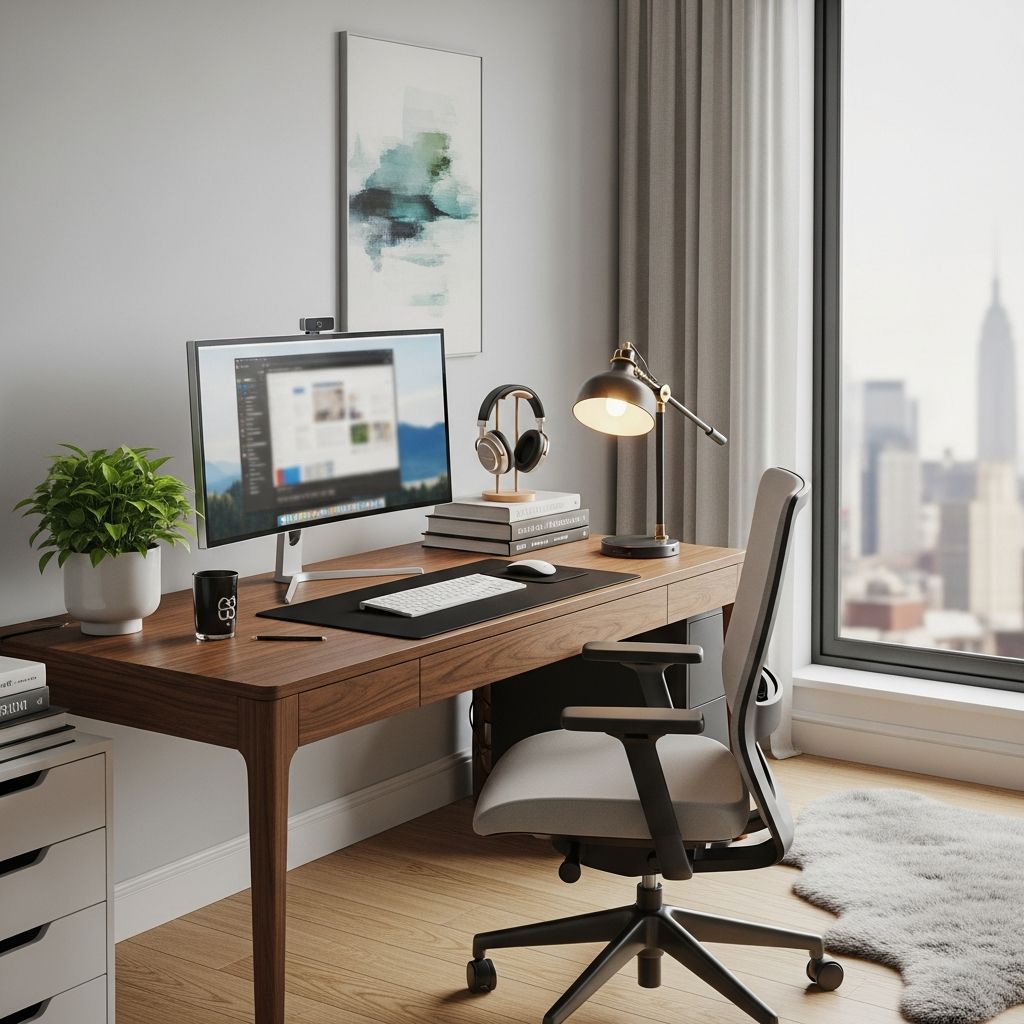
Establishing a dedicated home office is essential for anyone transitioning to remote work or seeking better productivity in a personal setup. A well-designed workspace minimizes distractions, promotes health, and enhances focus. This guide provides practical steps to build an efficient environment, drawing on proven principles for comfort and functionality.
Assessing Your Space Requirements
Before purchasing any items, evaluate your specific needs based on your work type. Consider the nature of your tasks: do you require extensive desk space for drawing or note-taking, or minimal surface for laptop use? Professionals like graphic designers might need larger surfaces, while consultants could prioritize file storage. Identify a low-traffic area, such as a spare closet, corner, or underutilized room, to maintain separation from daily household activities.
- Analyze daily workflow: List tools, documents, and devices you’ll use regularly.
- Measure available area: Ensure at least 4×4 feet for basic setups, expanding for multi-monitor use.
- Account for multi-use: In smaller homes, opt for foldable or wall-mounted elements to reclaim space when not working.
Quiet zones reduce interruptions, fostering a professional mindset similar to an office setting.
Selecting the Perfect Desk and Chair
The desk forms the foundation of your setup. Choose one that fits your room dimensions—compact floating desks save floor space, while standing options promote movement. Electronic height-adjustable desks support switching between sitting and standing, accommodating loads up to 176 pounds for dual monitors and accessories. Pair it with an ergonomic chair offering lumbar support to prevent back strain during extended sessions.
| Desk Type | Best For | Pros | Cons |
|---|---|---|---|
| Standing Desk | Active workers | Health benefits, adjustable | Higher cost |
| Floating Wall Desk | Small spaces | Space-saving, modern look | Limited storage |
| Traditional Desk | General use | Storage drawers, stable | Takes more room |
Chairs should align with your height; test for adjustability in seat height, armrests, and recline to maintain neutral posture.
Optimizing Technology and Peripherals
Core tech includes a reliable computer—laptops for mobility or desktops for power—suited to your job demands. Position monitors at eye level, ideally 25-27 inches, to avoid neck strain; external screens outperform laptop displays for prolonged use. Invest in a quality webcam and microphone for clear video calls, ensuring compatibility with your OS.
- Keyboard and mouse: Ergonomic models reduce wrist fatigue.
- Monitor arms: Free desk space and enable precise positioning.
- Power setup: Use surge protectors and cable organizers for safety.
For collaboration, built-in or external webcams keep remote interactions seamless.
Mastering Lighting and Ambiance
Good illumination prevents eye fatigue and boosts mood. Prioritize natural light from windows, supplemented by adjustable lamps if needed. Desk-specific lighting eliminates shadows on keyboards and screens. Avoid glare by positioning monitors away from direct sunlight.
Ambient elements like plants or artwork personalize the space, while white noise machines or fans mask household sounds in shared areas. Temperature control—around 68-72°F—maintains comfort without drowsiness.
Organization Strategies for Efficiency
Clutter hinders focus, so implement vertical storage with shelves for books and supplies, freeing floor space. Filing systems, bins, and digital tools like cloud storage keep paperwork minimal. Cable management trays hide wires, creating a clean aesthetic.
- Daily reset routine: Tidy at day’s end to start fresh.
- Zone division: Separate work, reference, and supply areas on the desk.
- Multi-purpose furniture: Ottomans with storage double as seating.
Personalization, such as motivational posters, inspires without overwhelming.
Ergonomics for Long-Term Health
Proper alignment is crucial: Feet flat on the floor or a footrest, knees at 90 degrees, screen top at eye level, and elbows close to the body. Take breaks every 30-60 minutes to stretch. Standing desks encourage periodic posture shifts.
Common pitfalls include poor monitor height leading to ‘tech neck’ or inadequate chair support causing lower back pain—avoid by measuring setups against ergonomic guidelines.
Budgeting and Smart Shopping
Start with essentials under $500: Basic desk ($150), chair ($100), monitor ($150). Scale up with sales or secondhand options from reputable sites. Prioritize durability over trends for ROI on health and productivity.
| Budget Tier | Key Investments | Total Cost |
|---|---|---|
| Basic | Desk, chair, lamp | $300-500 |
| Mid-Range | + Monitor, stand desk | $800-1200 |
| Premium | + Ergonomic accessories | $1500+ |
Common Setup Mistakes to Avoid
Steer clear of working from couches or kitchens, which blur boundaries and cause discomfort. Overlooking acoustics leads to distractions; test spaces for echo or noise. Skipping cable organization breeds frustration.
- Don’t ignore power outlets: Extension cords are temporary fixes.
- Avoid dim lighting: It strains eyes over time.
- Separate work from rest areas: Maintains work-life balance.
Frequently Asked Questions (FAQs)
What essentials do I need for a home office?
A desk, supportive chair, monitor at eye level, lighting, and storage bins form the core. Add tech like a webcam for calls.
How can I fit a home office in a small apartment?
Use wall-mounted desks, vertical shelving, and multi-functional furniture to maximize space without crowding.
Is a standing desk worth it?
Yes, for health benefits like reduced sitting time, especially with electronic adjustments for ease.
How do I stay productive at home?
Dedicate a specific zone, set routines, and use organization systems to mimic office structure.
What lighting is best for work?
Natural light plus task lamps; aim for 300-500 lux on the desk to minimize glare and fatigue.
This setup not only enhances output but supports sustainable remote habits. Experiment iteratively for personalization.
References
- Tips for Home Office Desk Setup: A Checklist for All You Need — BenQ. 2023-12-01. https://www.benq.com/en-us/knowledge-center/knowledge/tips-for-home-office-setup.html
- Home Office Design Mistakes & How To Set One Up In Any Room — YouTube (Michael Soledad channel). 2023-01-15. https://www.youtube.com/watch?v=fqf9hRgaXe0
- The best home office setup for productivity + balance (2026 Guide) — Owl Labs. 2026-01-01. https://resources.owllabs.com/blog/home-office-setup
- How to Set Up a Home Office — Best Buy. 2023-05-20. https://www.bestbuy.com/discover-learn/how-to-set-up-a-home-office/pcmcat1629145356168
- Setting Up a Home Office for Remote Work — Wrike. 2024-02-10. https://www.wrike.com/remote-work-guide/home-office-setup-equipment/
- 7 Tips to Setup Your First Home Office in 2025 — YouTube (Michael Soledad). 2025-01-01. https://www.youtube.com/watch?v=MKR6jgPZnO4