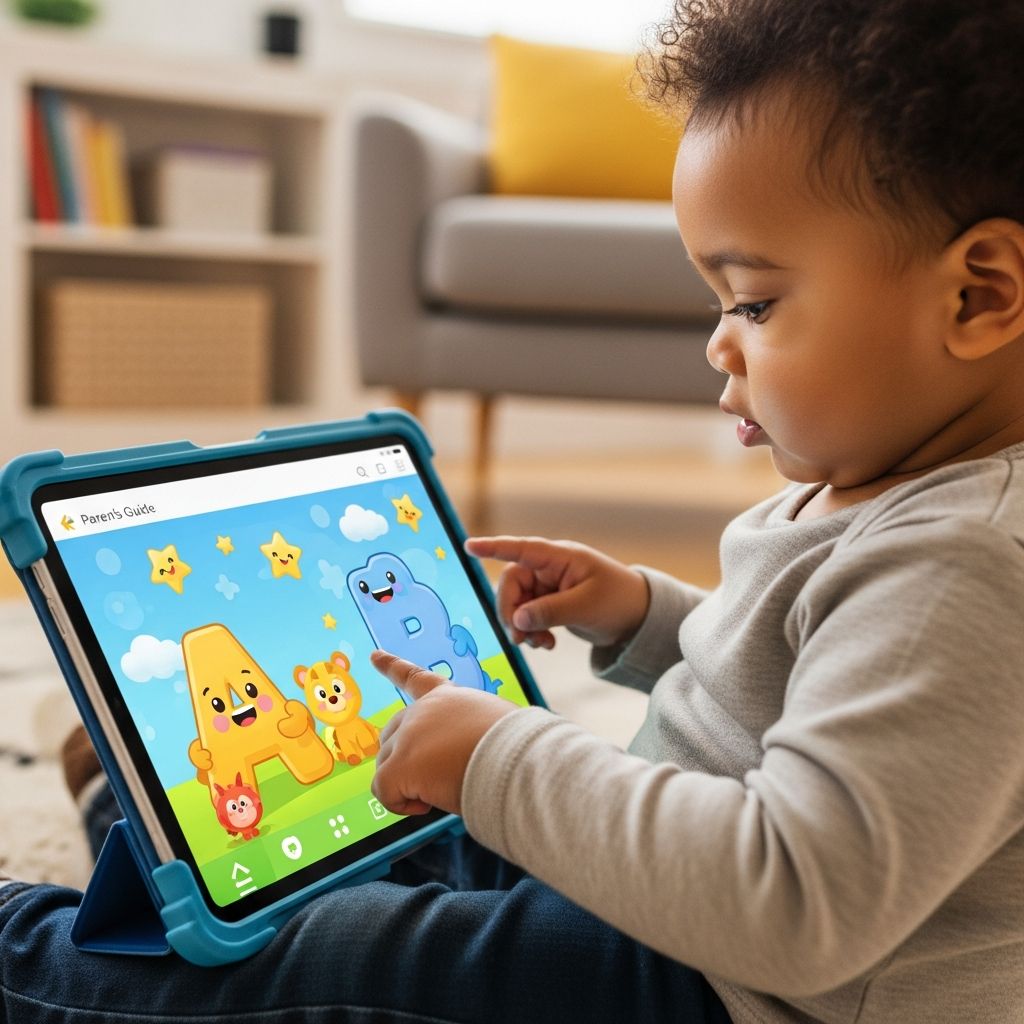
Tablets do not have to be digital babysitters. Used thoughtfully, the iPad can become a playful tool that helps toddlers and preschoolers explore letters, sounds, and early reading skills in a way that feels like a game, not a lesson.
Why Letter-Learning Apps Appeal to Young Kids
Most toddlers are naturally drawn to screens: bright colors move, sounds react instantly, and simple taps make things happen. Letter-learning apps take advantage of this curiosity by pairing alphabet practice with interactive animations, music, and short games that match young children’s short attention spans.
When chosen carefully, these apps can support the same early literacy skills children practice with magnetic letters, picture books, and songs—just in a different format. The goal is not to replace hands-on play or reading together, but to add one more playful path to learning letters.
Core Skills a Great Alphabet App Should Support
Before downloading the next cute cartoon app, it helps to know which skills truly matter in the toddler and preschool years. Strong letter-learning apps quietly weave these fundamentals into simple games and activities.
- Letter recognition: Noticing and naming both uppercase and lowercase letters.
- Letter–sound connections (phonics): Linking each letter to the sound it usually makes.
- Print awareness: Seeing that letters form words and that words carry meaning.
- Fine motor practice: Tracing, dragging, and tapping to strengthen the small muscles needed later for writing.
- Listening and attention: Following short instructions and focusing long enough to complete a tiny task.
As you explore different apps, look for these skills hiding under the fun. If a game flashes letters but never asks your child to say them, trace them, or connect them to sounds, it is more entertainment than learning.
How to Evaluate Letter Apps Before Your Child Plays
It is tempting to hand the iPad over the moment an app finishes downloading. A quick preview by an adult, though, can save frustration later and help you decide whether the app fits your family’s values and goals.
Questions to Ask While You Test an App
- Does the app clearly name and show letters, or are letters just decorations in the background?
- Are children asked to DO something with letters (tap, match, trace, choose the correct one), not just watch?
- Is the voice clear, calm, and easy to understand for young ears?
- Does the app give gentle feedback when a child makes a mistake instead of buzzing, scolding, or flashing red screens?
- Are there obvious ads, pop-ups, or links that a toddler could accidentally open?
- Can sound, music, or difficulty be adjusted to fit your child?
Quick Feature Comparison Checklist
| Feature | Why It Matters | What to Look For |
|---|---|---|
| Interactive letters | Hands-on interaction makes letters more memorable than passive videos. | Tap, drag, or trace letters to trigger sound or animation. |
| Sound support | Hearing the letter name and sound builds early phonics understanding. | Clear narration that repeats names and sounds with each interaction. |
| Short activities | Toddlers learn best in quick bursts rather than long levels. | Mini-games that last 30–90 seconds before switching tasks. |
| Positive feedback | Encouragement keeps young children willing to try again. | Stars, cheerful sounds, and calm corrections instead of harsh tones. |
| Child-safe design | Prevents unplanned purchases and confusing screens. | No ads, simple menus, and grown-up settings behind a lock or code. |
Types of Letter-Learning Apps Youll See
Not all alphabet apps look or feel the same, and that is a good thing. Different formats appeal to different children and can support separate pieces of early literacy. Mixing several types keeps practice feeling fresh.
1. Letter Tracing and Writing Apps
These apps encourage children to follow a path that outlines each letter, often with finger tracing. Toddlers are not ready for neat handwriting, but tracing helps them notice the shapes of letters and builds control in the small muscles of the hand.
- Look for big, bold letters and wide tracing paths that forgive wobbly lines.
- A good app will say the letter’s name and sound while your child traces it.
- Rewards like stars or stickers can celebrate effort rather than perfection.
2. Phonics and Sound-Matching Games
Phonics-focused apps highlight the link between a letter and the sound it makes. Young children might tap on a letter and then choose a picture that starts with that sound, or drag letters to build a simple word that a friendly voice reads aloud.
- For toddlers, start with apps that focus on single letters and first sounds, not long word lists.
- Preschoolers can begin to explore simple word-building with support from picture cues.
- Clear pronunciation matters more than flashy graphics in this type of app.
3. Story-Based Alphabet Apps
Some apps wrap alphabet learning inside short, interactive stories. A character might search for lost letters, bake alphabet cookies, or explore a themed world where each letter unlocks a tiny scene, song, or activity.
- These apps are great for children who love narrative and pretend play.
- Look for options that read the text aloud while highlighting words or letters.
- Stories should be brief with lots of chances to tap, swipe, or choose what happens next.
4. General Early-Learning Suites That Include Letters
Large learning suites bundle letters with numbers, colors, shapes, and simple problem-solving games. Within one app, your child might sort objects by color, count snacks, and then jump to a mini-game about the letter B.
- These apps are helpful for families who want one central app instead of many small ones.
- Make sure the alphabet section is strong rather than an afterthought.
- Check whether you can control which games appear, so letter work does not get buried.
Matching Apps to Your Child’s Age and Stage
Two children the same age can be at very different places in their interest in letters. Instead of relying only on age labels in app stores, think about what your child already enjoys and can comfortably do.
Toddlers (Around 2–3 Years)
At this stage, the focus is on gentle exposure rather than mastery. Many toddlers love hearing an app repeat a letter name or sound while something silly happens on screen.
- Choose apps with simple screens and only one or two choices at a time.
- Tap-based games work best; detailed tracing may still be frustrating.
- Short bursts of play—just a few minutes—are enough for meaningful practice.
Preschoolers (Around 3–5 Years)
Preschoolers are often ready for more focused games, especially if they are already pointing out letters on signs or asking what a word says. They may enjoy mini-challenges, levels, or collecting virtual rewards as they learn.
- Introduce basic tracing, simple sound-matching, and early word-building games.
- Look for options that let you adjust difficulty as your child grows.
- Encourage your child to say letters and sounds aloud while playing.
Turning App Time into Real Learning
Simply downloading a quality app is only half the story. The way you join your child during screen time can make the difference between passive entertainment and active learning.
Play Together When You Can
Sitting beside your child, even for just the first few minutes of a game, offers powerful learning opportunities. You can name letters, model how to say sounds, and gently guide them when they get stuck.
- Ask open-ended questions like “What letter did you just tap?” or “What sound did that one make?”
- Celebrate small wins out loud: “You found another M! You remembered it starts like ‘mama.’”
- Show them how to pause, exit a game, or ask for help instead of getting frustrated.
Connect On-Screen Letters to Real Life
Apps become much more powerful when letters do not stay trapped on the screen. Help your child notice the same letters in everyday life and in traditional books.
- If an app focuses on the letter S, look for S on cereal boxes, street signs, and book covers later in the day.
- Make quick letter hunts at home: “Can you find three things that start with B like in your game?”
- Use magnetic letters or paper cards to recreate simple words your child built in the app.
Balancing Screen Time with Hands-On Literacy Play
Even the best-designed iPad app cannot replace cuddling with a picture book or drawing squiggly letters in shaving cream at the kitchen table. Young children learn best when screens are just one piece of a much bigger learning puzzle.
Offline Activities That Support Letter Learning
- Alphabet books and songs: Sing classic alphabet songs, pause to name individual letters, and point to them in simple storybooks.
- Sensory letter play: Trace letters in sand, rice, or finger paint for a full-body experience of letter shapes.
- Crafty letters: Cut letters from magazines, build them with playdough, or form them with pipe cleaners.
- Real-life print spotting: Turn errands into a game of “I spy the letter…” on signs, labels, and menus.
When you combine digital letter games with hands-on exploration and lots of read-aloud time, your child gets repeated, meaningful exposure to the alphabet in many different forms.
Practical Tips for Healthier Screen Habits
Letter-learning apps work best when they fit into healthy, predictable routines. A few simple guidelines can keep tablet time from stretching longer than intended or causing battles.
- Set clear time limits: Decide ahead of time how long app play will last, and use a visual timer your child can see.
- Choose calm transitions: Give a two-minute warning before time is up, then switch to a cozy activity like reading or snuggling.
- Create a “learning first” rule: When it is iPad time, start with an educational app before moving to pure entertainment, if you allow it.
- Model balance: Let your child see you use technology thoughtfully—reading, learning, or creating, not only scrolling.
- Keep devices visible: Use tablets in shared spaces rather than behind closed doors so you can easily join and supervise.
Sample Daily Routine Incorporating Letter Apps
Every family’s rhythm is different, but it often helps to tie screen use to predictable parts of the day. Below is a simple example that weaves in letter-learning apps without allowing them to take over.
| Time of Day | Activity | How Apps Fit In |
|---|---|---|
| Morning | Free play and breakfast | No screens; focus on conversation, pretend play, and books. |
| Late morning | Quiet time after active play | 10–15 minutes of a letter-focused app while an adult sits nearby. |
| Afternoon | Art, building blocks, or outdoor play | Use letters noticed in the app as inspiration for crafts or games. |
| Early evening | Wind-down and bedtime routine | Replace screens with stories, songs, and cuddles. |
This kind of structure helps children learn what to expect and makes it easier for caregivers to say yes or no to screen time requests without constant negotiating.
FAQs About Letter-Learning iPad Apps
Are letter apps enough to teach my child to read?
No single app can teach a child to read on its own. Reading grows from a mix of skills: language development, vocabulary, letter–sound knowledge, print awareness, and plenty of real-world experiences with books and conversation. Apps can reinforce certain skills but should sit alongside daily reading, talking, and play.
How much time should my toddler spend on alphabet apps?
Many families find that short sessions—often 10 to 20 minutes at a time—are more than enough for toddlers and preschoolers. Young children learn in quick bursts, and they benefit from frequent breaks where they move their bodies and interact with people instead of screens.
What if my child only wants to tap randomly and ignore the letters?
This is very common at first. Try sitting beside your child and gently drawing attention to the letters: “You found an A! Do you hear how it says /a/ like in ‘apple’?” If an app still feels too busy or confusing, consider switching to one with simpler screens and slower pacing.
Should I worry if my preschooler is not interested in letter apps?
Not every child enjoys learning letters on a screen. Many children prefer building with blocks, playing outdoors, or listening to stories. As long as you are offering regular read-aloud time, casual letter games in daily life, and opportunities to explore books, a lack of enthusiasm for apps is not a cause for concern.
How can I tell if my child is actually learning from an app?
Look for signs outside the screen. Does your child start naming letters in books or on signs, even when the tablet is put away? Do they sing new alphabet songs or talk about letter sounds in their own play? These are clues that what they see in the app is transferring into real understanding.
Final Thoughts: Keep It Playful
When approached with intention, letter-learning iPad apps can be a playful tool in your early literacy toolkit. The key is to keep them light, fun, and firmly rooted in the bigger world of books, conversation, and hands-on discovery. Your presence, guidance, and willingness to join the game matter far more than any particular app you choose.
By treating apps as one more way to explore letters—rather than the main way—you help your toddler or preschooler build a warm, curiosity-driven relationship with reading that can last well beyond the tablet years.