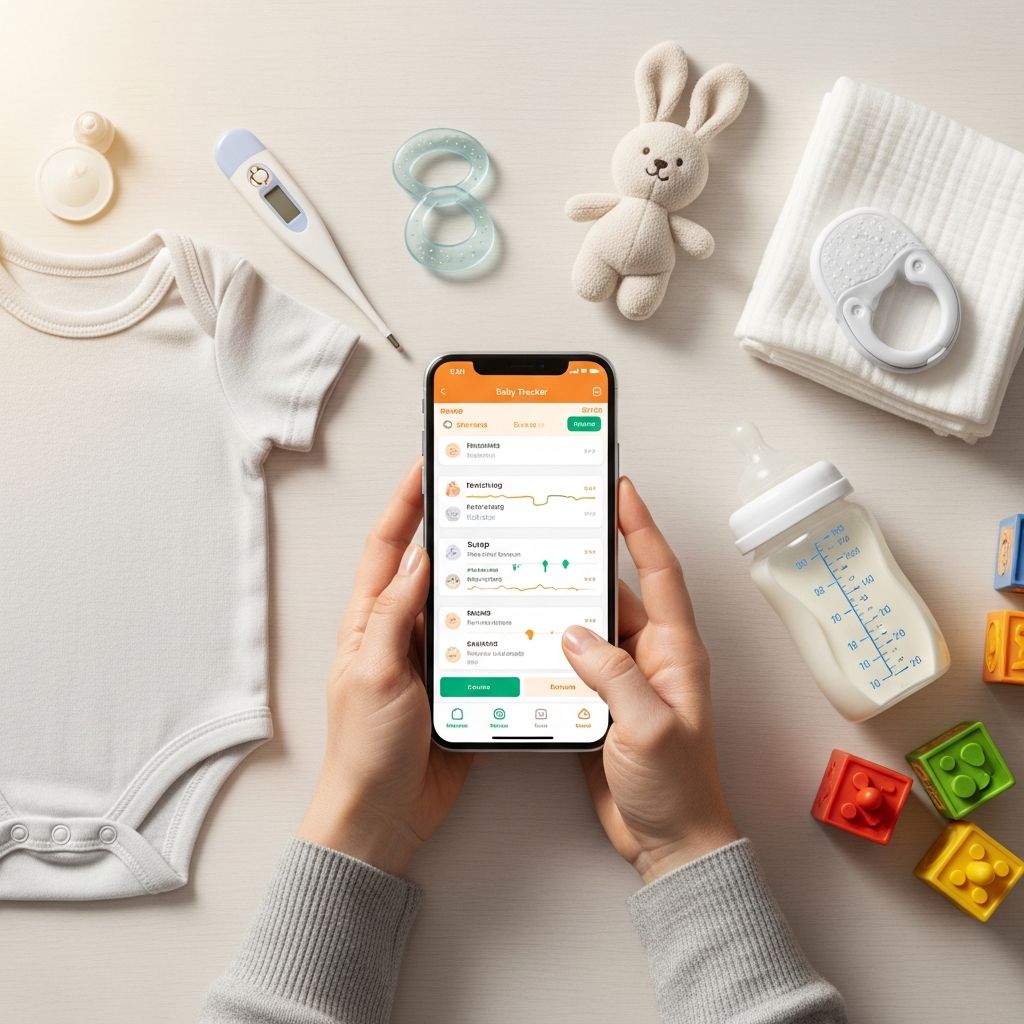
New parent life is a blur of feeds, diapers, naps, and doctor visits. A baby tracker app can turn that blur into clear information you can actually use. This guide explains what to track, how to track it without obsessing, and how to turn data into calmer, more confident parenting.
Why Track Your Baby’s Day-to-Day?
Keeping simple records during your baby’s first year can help you, your partner, and your pediatrician see patterns that are nearly impossible to remember in a sleep-deprived haze.
Thoughtful tracking can:
- Support your baby’s health by showing feeding amounts, diaper output, sleep totals, and growth for discussion with your clinician.
- Highlight early developmental milestones such as smiling, rolling, or babbling, which are important for monitoring typical development.
- Reduce stress by answering questions like “When did she last eat?” or “Did he nap long enough?” without relying on memory.
- Coordinate caregivers so everyone shares the same up-to-date picture of your baby’s routine.
Key Things to Track in the First Year
Most baby tracker apps focus on a core set of categories. You can use all of them or just a few, depending on what feels helpful.
1. Feeding: Breast, Bottle, and Solid Foods
Newborns typically feed 8–12 times in 24 hours, and it can be difficult to remember timing and amounts across the day. A log makes it easier to notice clusters, long stretches between feedings, or gradual increases in intake.
What parents often track for feeding
- Start and end time for each feed.
- Side used (left/right) for breastfeeding.
- Volume of milk or formula in each bottle.
- Type of milk (breastmilk, formula, mixed).
- Reactions to feeds (spit up, fussiness, gas, suspected allergy).
- Introduction of solids: food name, amount offered, baby’s reaction.
How tracking feeds helps
- Shows whether your baby is feeding frequently enough for age and weight.
- Helps identify growth spurts and cluster feeding days.
- Provides objective info if you or your pediatrician are monitoring weight gain.
- Supports milk supply management if you’re pumping or combining feeding methods.
2. Diaper Output: Wet and Dirty Diapers
Diaper patterns give quick clues about hydration and digestion. Health authorities emphasize counting wet and dirty diapers during the early weeks, especially for breastfeeding parents who cannot see how much milk a baby drinks at each feed.
What parents typically log
- Time of diaper change.
- Type: wet, stool, or both.
- Stool consistency and color (helpful when something looks unusual).
- Notes about diaper rash, constipation, or diarrhea.
Why diaper logs matter
- In the first days of life, normal increases in wet and dirty diapers help confirm adequate intake.
- Sudden decreases in wet diapers can be a sign of dehydration and should be discussed promptly with a clinician.
- Changes in stool pattern (very hard, very loose, blood) are easier to notice when recorded.
3. Sleep: Naps and Overnight
Baby sleep can feel unpredictable, but a tracker reveals your child’s unique rhythm over time. Pediatric guidance stresses that total daily sleep and patterns change rapidly across the first year.
Useful sleep details to record
- Start and end times for naps and night sleep.
- Where baby sleeps (crib, bassinet, contact nap, stroller).
- How baby fell asleep (fed to sleep, rocked, put down drowsy).
- Night awakenings: time, reason, how long baby was awake.
How a sleep tracker helps your routine
- Reveals your baby’s typical wake windows and nap lengths.
- Helps you avoid overtiredness by spotting long stretches of awake time.
- Provides objective data if you seek help for sleep concerns.
- Makes it easier for multiple caregivers to stay consistent with schedules.
4. Growth: Weight, Length, and Head Circumference
Healthy growth is one of the clearest indicators of overall well-being. Pediatric providers use growth charts to compare weight, length, and head circumference against large population data.
What to record from checkups
- Weight, including units (pounds/ounces or kilograms).
- Length/height.
- Head circumference.
- Percentile values if your clinician provides them.
- Any notes your pediatrician shares about growth trends.
Why growth tracking is useful
- Allows you to see steady progress across months rather than focusing on a single number.
- Helps you notice abrupt changes that may merit a follow-up discussion.
- Gives you a clear record if you switch pediatricians or move.
5. Developmental Milestones
Milestones are skills most babies can do by a certain age, such as smiling, rolling, sitting, or saying simple words. Experts emphasize that there is a range of normal, but tracking helps you notice when it might be time to ask for a professional evaluation.
Examples of early milestones to log
- Social: first social smile, responding to your voice, playing peekaboo.
- Language: cooing, babbling, using simple words like “mama” and “dada.”
- Motor: holding head up, rolling, sitting, crawling, pulling to stand, first steps.
- Cognitive: tracking objects with eyes, exploring with hands, understanding “no,” pointing.
How milestone tracking supports development
- Gives you a joyful record of “firsts” and when they happened.
- Helps you follow official checklists such as those from public health agencies when comparing skills to age expectations.
- Makes it easier to share detailed examples if you have concerns and seek an evaluation.
Comparing Common Tracking Categories
The table below summarizes how each category supports you and your baby.
| Category | What You Log | Why It Matters |
|---|---|---|
| Feeding | Times, duration, side/volume, type of milk or food | Monitors intake, patterns, and supports healthy weight gain. |
| Diapers | Wet vs. dirty, frequency, stool color and consistency | Provides clues about hydration and digestion, especially in newborns. |
| Sleep | Nap and night timing, duration, awakenings | Reveals patterns, prevents overtiredness, supports routines. |
| Growth | Measurements and percentiles | Shows long-term trends and supports pediatric assessments. |
| Milestones | Dates and notes on new skills | Helps compare development with age-based expectations. |
Choosing a Baby Tracker App
You do not need the “perfect” app—just a tool that fits your brain and your lifestyle.
Features to look for
- Quick input: large buttons, one-tap timers, and minimal typing.
- Multi-device sync: so partners and caregivers share one log.
- Customizable categories: ability to hide tools you do not use.
- Clear charts: simple visuals of daily totals and long-term trends.
- Export or backup: option to download data or save it securely.
- Privacy controls: clear information on how your data is stored and used.
Balancing detail with simplicity
If tracking starts to feel like a full-time job, it is reasonable to scale back. Many parents find it helpful to:
- Track very closely for the first 6–8 weeks, then simplify.
- Continue detailed logs only for areas where there is an ongoing concern (e.g., weight gain or allergies).
- Use tracking more sparingly as you grow confident in your baby’s cues.
Making Sense of the Data (Without Overthinking)
Numbers are only useful when they guide decisions. Here is how to interpret tracking information realistically.
Seeing patterns over days, not hours
- Look at daily averages for feeds, sleep, and diapers rather than every small variation.
- Notice broad trends like “naps are getting longer” or “more feeds in the evening.”
- Expect irregular days around growth spurts, illness, or travel.
Using your logs at medical visits
Bringing a concise summary to checkups can make appointments more productive. Clinicians often ask about feeding frequency, diaper counts, sleep patterns, and milestones.
- Before a visit, note typical daily totals for feeds, diapers, and sleep.
- Flag any specific concerns in your app or on paper.
- Show your provider longer-term trends if they ask about growth or development.
Knowing when to call your pediatrician
Your tracker cannot diagnose problems, but it can help you notice red flags such as:
- Sudden drop in wet diapers or refusal to feed.
- Persistent vomiting, diarrhea, or very hard stools.
- Long periods of unusual sleepiness or difficulty waking.
- Missing several key milestones or losing skills your baby already had.
In any urgent situation or if you are worried, contact your clinician or emergency services, even if your log does not clearly show a pattern.
Healthy Expectations: Every Baby Is Unique
Public health agencies stress that babies reach milestones at different times and that small variations are usually normal. A tracker should serve as a gentle guide, not a scorecard.
Using milestones as a guide, not a race
- Compare your baby’s skills with age ranges from reliable milestone checklists, not with other babies.
- Celebrate progress—tiny changes like more eye contact or new sounds are meaningful.
- Remember that some babies focus on one area (language, motor, social) before another.
Protecting your mental health while tracking
- If logging makes you anxious, reduce how often you open the app.
- Set a time limit for daily tracking—then put your phone away and enjoy your baby.
- Ask your provider or a trusted friend to help you interpret data if it feels overwhelming.
Simple Baby Tracking Routine You Can Start Today
If you are unsure how to begin, this light-touch routine can help you get started without adding stress.
Morning
- Open your app and reset your mental slate for the day.
- Log your baby’s first feed and a quick note on overnight wake-ups.
- Glance at yesterday’s totals to see if anything stands out.
Throughout the day
- Tap to log feeds as they happen.
- Mark each diaper change (you can add details later if needed).
- Start and stop a timer for naps when you remember; perfection isn’t required.
Evening
- Review number of feeds, total nap time, and wet/dirty diapers.
- Add a short note if your baby did anything new or seemed unwell.
- Jot down any questions for your next pediatric visit.
Frequently Asked Questions (FAQs)
How long should I use a baby tracker app?
Many parents use detailed tracking for the first 2–3 months, then gradually scale back as feeding and sleep become more predictable. You can continue milestone and growth logs through the first year and beyond if you find them helpful.
Is it safe to store my baby’s information in an app?
Look for apps that explain how they protect your data, whether they encrypt information, and whether they share data with third parties. You can also choose to keep the most sensitive information (like medical notes) in a private document or on paper instead of in the app.
Do pediatricians want to see my tracking data?
Most clinicians appreciate clear summaries of patterns in feeding, diapers, sleep, and milestones, especially if there are concerns about growth or development. You usually do not need to show every entry; a short overview is often enough.
What if my baby’s milestones do not match what the app suggests?
Milestone ages in apps are general estimates. Official milestone tools emphasize that children develop skills within a range of ages. If your baby is far outside those ranges or has lost skills they already had, discuss this with your pediatrician.
Can tracking help with sleep training or routine-building?
Tracking alone does not change sleep, but it gives you a clear picture of naps, bedtimes, and night wakings. This information can help you adjust wake windows, bedtime routines, and feeding schedules in partnership with your clinician’s advice.
References
- Baby Development Stages: The First Year — WebMD. 2023-05-10. https://www.webmd.com/parenting/baby/features/stages-of-development
- Development & Milestones for Infants (Birth – 12 months) — Michigan Department of Health and Human Services (MI Kids Matter). 2023-03-01. https://www.michigan.gov/mikidsmatter/parents/infant/milestones
- Milestones by 1 Year | Learn the Signs. Act Early. — Centers for Disease Control and Prevention. 2022-03-31. https://www.cdc.gov/act-early/milestones/1-year.html
- Developmental Milestones: Birth to 5 Years — Stanford University School of Medicine (PDF). 2019-01-01. https://med.stanford.edu/content/dam/sm/pediatricsclerkship/documents/5-Developmental-Milestones-MedU.pdf
- Infant Development: Birth to 3 Months — Mayo Clinic. 2023-07-05. https://www.mayoclinic.org/healthy-lifestyle/infant-and-toddler-health/in-depth/infant-development/art-20048012
- Baby Developmental Milestones by Month — Cleveland Clinic. 2023-02-15. https://my.clevelandclinic.org/health/articles/22063-baby-development-milestones-safety